Computers I Love  Computers I Love

go to home page contact full screen, hide local find menu Google search web for more information on this topic jump to foot of page translate this page with Babelfish by Roedy Green ©1996-2009 Canadian Mind Products
Introduction Server Machine
Current Acer Desktop Machine Old Equipment
Partitioning Retired Equipment
Future Acquisitions My First Personal Computer
Compaq Notebook My First Computer

Introduction

People often need to know the configuration of my machine, so I composed it in the form of a web page. This essay also contains nostalgic material about computers I have loved.

Current Acer Desktop Machine

Roedy’s Green’s Current Personal Computer Configuration
Equipment Size/Speed Brand Model Description Comments
Computer mini tower Acer Aspire AST180-ED380A desk top PC Off-the shelf-Acer product. Previously I always built my own machines from components, and made my own custom cables. This one had a nice set of components at a great price $620.00 CAD It includes video, 6 USB-2 ports, 1 Firewire port, sound, speakers, Ethernet, V.92 modem, 1 legacy parallel, 1 legacy 15-pin serial for the Olympus D-360L digital camera, and a 9-in-1 card reader but no floppy. My partner bought an Acer laptop which has behaved well, (until the monitor exciter packed it in after two years, and the cost of repair was higher than the cost of a new laptop) and did not have a lot of quirks the way Compaqs and HPs do. Extremely quiet.
Magic booting keys:
  • Del : bios settings.
  • F12 : select boot drive.
  • F8 : maintenance mode.
  • F11 : Acer recovery mode.
Acer advertises that Vista is included. It is not. There are no CDs or DVDs and they won’t sell you any at nominal cost. All you get is a partial Vista image on disk. You can’t repair a damaged install or reinstall Vista without losing all your data files as well. If your disk is physically damaged, you cannot restore at all. I consider that deceptive advertising and fraud.
CPU 2 GHz AMD Athlon 64 X2 3800+ socket 939 Dual core. Makes usage more smooth. The system is steadier in response than a single core machine. Other than that you would not notice. My machine is mainly disk limited. I picked this CPU because it let me experiment with dual CPUs at low cost. Further it uses a dual ported CPU cache which benchmarks showed really gave it some zip. I got only 512K cache. The bigger cache did not seem to make that much difference. The dual porting did. Windows rating 4.8.
DDR-2 RAM 3 GB Acer   2 gig
2 × 512 Mb DDR-2 4200
2 × 1 Gb DDR-2 5300
4 slots, 240 pin DIMM, each could hold 1 gig, giving a max configuration of 4 Gig. Since Vista gobbles up so much of the RAM, Also the internal video card eats up about a 256 MB of system ram, since it does not have its own VRAM. Windows rating 4.2. With only 1 Gb, Vista is almost unusable. The most recent 1 Gb module was a Kingston that comes with some very-well done installation instructions in many languages. One of the 1 Gig RAM modules I bought from Compusmart in Victoria did not work. They advertise an immediate replacement warranty. I bought the RAM on 2007-03-05 but did not get a replacement until 2007-05-28, almost 3 months later. Compusmart also refused to supply the missing Vista disks, and charged me $50.00 CAD to tell me the RAM was indeed defective. I told them I would never buy anything from them ever again.
flash drive 8 GB SanDisk Cruzer 8 GB On 2009-04-22 I bought a SanDisk Cruzer Micro thumbdrive 8 GB drive for $40.00 CAD . It comes with U3 firmware to let you place U3-compatible applications on it and move them from machine to machine. It appears as two drives O: and P:. O: is read-write where you stor your files. P: read-only containing some programs. It uses a maximum of 4 GB for ReadyBoost caching with write caching enabled. The other 4 GB I use as a fast backup drive. Optionally I could password protect the files stored on it. If you lose the password, you lose the files. I previously used a 2 GB AU _USB20 freebie from Corel, now on the laptop.
motherboard 4 slot Acer HT 2000 2 × PCI
1 × PCI Express x16
1 × PCI Express x1
4 × RAM
Only 2 PCI slots, one occupied by the modem. One PCI Express x16, which is Intel’s upgrade on an AGP video slot. One tiny PCI Express x1 slot. 4 RAM slots giving up to 4 Gig of RAM.
case 13.5" ATX tower Acer Aspire T180-ED380A 2 × 13.33 cm (5¼ in)
6 × 8.89 cm (3½ in) external bays
ATX. It has very bright disk and power lights mounted on the top which makes them easy to see with the case sitting on the floor. The power button is recessed and lit making it easy to find and hard to hit by mistake. It does not appear to have a reset button. The OS has never hung so I never needed either. I power up and off with the mouse. The hibernate/resume functions work perfectly. 8 bays inside. It is easy to open without a screwdriver. Bays have sliding green plastic locks instead of mounting screws. The trick to the case is the sliding lock that must be fully locked before you can insert the thumbscrews. The CPU and case fan are very quiet, and have variable speed controlled by the temperature. For such a small case, it is easy to service with lots of space to get your hands inside. It does not have a reset button. You have to hold down the power off button for a few seconds to force power off, then power on again.
integrated video 300 MHz NVIDIA Integrated NVIDIA GeForce 6100 and NVIDIA nForce 430A   Windows rating 2.0. When I first got the machine, several times a day, especially when I use Windows Media Player or have heavy IntelliJ use running, the Video driver “restarts” going black for a few seconds then recovering, especially when running Windows Media player. Other than this, it worked fine. It seems to have stopped doing it. I presume a auto-update driver fixed it. With JDK 1.6.0_12, Java app -displays often scramble, with Jet, with Sun and run as Applets. I don’t do gaming, just fast scrolling. It chews up 1/4 gig of system RAM. It does not have its own onboard VRAM. It is the weakest component in the system. Supports analog VGA, only, no DVI-D connector. With my widescreen monitor goes up to 1920 × 1200 resolution.
hard disk 250 gig Hitachi HDT725025VLA SATA-3
7200 RPM
Partitioned using NTFS C: D: E: F: G:. Aka Deskstar T7K500. Vista identifies it as SCSI, but it is actually SATA-3. Buffer is 8 MB, possibly 16 MB. Average seek 8 ms. Max transfer rate 300 Mbytes per second. Windows rating 5.3. Fast but slightly noisier than average. Normally a hard disk hides bad sectors from the OS and manages mapping them out on its own. This disk has overwhelmed that mechanism, and has so many bad sectors, they show up an the OS level. This particularly causes trouble when I change partition sizes, since Boot-It in not clever enough to avoid using bad sectors and to remap the bad sectors in the new partitions. The Boot-It people recommended replacing the drive.
DVD/CD Reader/Writer ATAPI ATA-2 Lite-On SHW-160P65S caddy-less V: Reads and writes DVDs and CDs. Handles DVD+R / DVD+RW / DVD-R / DVD-RW / DVD+R9 / DVD-R9 / DVD-ROM / CD-R / CD-RW / CD-RO. i.e. handles plus and minus formats, double layer, but not Blu-Ray.
Flat Screen LCD monitor 24” Samsung SyncMaster 2443BW Energy Star rated, with PowerSaver logic The good:
  • 1900 × 1200 pixel resolution. This feels quite huge. I used to run most apps full screen. Now other apps and the desktop are always accessible.
  • The image is 51.84 × 32.40 cm (20.41 × 12.76 in). It is advertised as 60.96 cm (24 in) diagonal. Note, unlike digital TVs, monitors still use diagonal measure.
  • 5 ms response time.
  • 1000:1 / 20000:1 (dynamic) contrast. I don’t know what dynamic contrast is.
  • 170° / 160° horizontal/vertical viewing angles which makes it easy for two people to look at the screen at once. The image colours stay stable no matter where you move your head.
  • 300 cd/m2 brightness, i.e. very bright
  • It does not have that glossy look of the more expensive monitors. I prefer this flat look.
  • It has connectors for VGA, DVI and HDMI and comes with all the necessary cables!! Will wonders never cease.
  • It is very wide. I was surprised at how easy it was to configure — not Samsung’s doing, but due to the magic of mature Plug & Play. The control panel showed me a list of resolutions/geometries, and let me try each out before deciding. I was pleasted to discover I did not need to get a new video card to exploit the full size and resolution of the screen.
The downsides:
  • At first, I could not figure out how to turn it on. It has no buttons or switches. It turns out you rub your finger over a part of the smooth front bottom panel.
  • The manual (paper or online) does not have the full specifications. Happily a CNET review fills in the blanks.
  • The Rosetta stone paper manual comes in 16 languages. This means there are effectively only 3 lines of English text per page. It is hard to find what you are looking for.
  • The manual is pretty awful, telling you the obvious, but without cookbook instruction to guide you through. Happily the monitor out the box seems work just fine.
  • Samsung no longer lists the monitor in its lineup. It must have been an end-of-the line.
  • The controls are too sensitive. It is very hard to press a touch sensitive area just once.
  • It is advertised to have built-in USB hub, but it doesn’t.
  • In hibernate mode, a bright blue LED flashes. This could be especially annoying if you sleep in the same room as the monitor.
I chose it since it was less expensive than the competition and gave a sharper picture with more accurate colour. It seems to me the more expensive models just give you gloss, which is nice eye-candy in the shop, but who wants glare when you are trying to work?

When you first use each video resolution, including the VESA boot mode, press auto to automatically adjust the screen size and postilion.

Amazon product imagerecommend Amazon⇒Samsung Widescreen Monitor
asin: B001GFIMDU
Samsung SyncMaster 2443BW. 51.84 × 32.40 cm (20.41 × 12.76 in) It is advertised as 60.96 cm (24 in) diagonal. Note, unlike digital TVs, monitors still use diagonal measure. 170° / 160° horizontal/vertical viewing angles which makes it easy for two people to look at the screen at once. The image colours stay stable no matter where you move your head.
UK flag amazon.co.uk. amazon.ca. Canadian flag
German flag amazon.de. amazon.com. American flag
French flag amazon.fr.
DSK Keyboard Ergonomics Kinesis Classic QD Dvorak layout keyboard Unusual, very expensive DSK/QWERTY keyboard. Supports firmware keystroke macros and layout remapping without software. I tried a programmable foot pedal so that I can hit ctrl-v and ctrl-c with the foot pedal when my right hand is occupied with the mouse. With DSK you can’t hit those combinations left-handed. To key them left-handed you would need to hit ctrl-k and ctrl-j. The problem was I could not anchor the foot pedals sufficiently securely no that I could find them with my feet easily. I gave up on them.
mouse 5-button with scroll wheel Logitech USB port mouse LX8 laser cordless Wheelmouse bought 2008-06-02. I chose this mouse for low cost, relatively few buttons and my good luck with the Logitech brand in past. I never did use all those buttons on my previous mouse. It is laser, supposedly even more precise than LED. Further I’m hoping cordless will also improve precision by eliminating the tug of the cord. Out the box, with the generic driver the mouse is way too sensitive. The mouse itself is a sealed unit meaning you cannot open it to clean it, though of course it has cracks for dirt to get in. The feet are delicate and will wear off within a year. The feet are not even seated in wells. The radio control unit is tiny, smaller than a flash drive that plugs into a USB port. I inserted the two Duracell AA batteries (included) into the mouse, plugged in the USB radio port and off it went. With Logitech driver installed, the mouse is more controllable but even on the slow settings it is very sensitive mouse. It will take some getting used to. The Scroll wheel tilts left, right and presses down for additional controls. There is a extension cord to put the transmitter closer to the mouse, but it works fine even without it. Oddly, you can’t see the laser. I guess it uses IR or UV light. Negatives:
  • I keep hitting the two side buttons by mistake. They have hair triggers unlike previous models. They are also positioned so it is difficult to click the left and right mouse button without simultaneously clicking one of the side buttons. It is utterly infuriating. Even after two weeks of practice, I still could not master the mouse buttons. The only way out for me was to configure the two side buttons to have no function.
  • The mouse driver had a bug that was eventually fixed. Sometimes it locks the mouse into the current window. I have to shut down all apps and sometimes reboot to clear the problem. Sometimes hitting the reset button on the mouse clears it.
  • The mouse driver sometimes crashes. I have never had that happen with any mouse drive before.
  • The model number is nowhere embossed on the mouse.
  • Logitech no longer publishes specification data.
  • The batteries last only about 6 weeks if you don’t take special precautions to turn off the mouse when not in use. If you assume a 3-year life for the the mouse, you will need 26 battery changes, which adds about adds about $104.00 CAD to the cost of the mouse. Look into using rechargeables, or a rechargeable mouse.
  • The dongle needs to be near the mouse for reliable results. It is light weight and can gradually pull further and further away without you noticing. This will not appear as weak batteries to the software.
  • It tends to ignore clicks. The problem could be with the click detector mechanics or with the battery powered transmissions.
  • The factory mouse feet are revolting, with an almost gummy feel after a while. This makes it hard to move the mouse smoothly. They refuse to stay put where they belong because there are no proper wells for them.
You can configure the various buttons to a tempting array of possibilities including:
  • double click
  • A keystroke or Alt-Ctrl keystroke.
  • copy, cut or paste.
  • cruise up or down fast scroll.
  • Left or right scroll.
  • Document flip (that 3D summary of all your running apps)
  • Zoom
  • autoscroll, or universal scroll (two variants of pan in 2D).
  • PgDn or PgUp
Amazon product imagerecommend Amazon⇒Logitech LX8 Laser Cordless Mouse
asin: B000ZH7E5M
Logitech has stopped publishing specifications. 5 buttons. Relatively inexpensive mouse for non-gaming. This is what I use myself. Not recommended.
UK flag amazon.co.uk. amazon.ca. Canadian flag
German flag amazon.de. amazon.com. American flag
French flag amazon.fr.
Intel Ethernet 1 Gigabit Intel PRO 1000 GT Ethernet card for LAN I am using it at only 100 Mbit for my local, and 10 MBit to access the Internet.
Integrated Ethernet 1 Gigabit Marvel Yukon 88E8056 PCI-E integrated Ethernet for LAN Currently disabled. I am using it at only 100 Mbit for my local, and 10 MBit to access the Internet. Not supported by Ubuntu Linux, at least not without a fight.
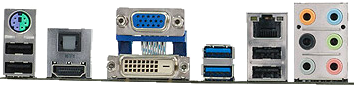
Integrated Sound   Acer     The analog sound connectors on the back are colour coded, but have no labels or icons. You need to memorise the colour code.
Acer Sound Connectors
Colour Shade Purpose
grey   middle out
black   subwoofer middle out
orange   rear out
pink   microphone in
green   line out, front speakers, earphone
blue   line in, connect tape player etc. input.
The sound driver dies periodically. I must reboot to get my sound back. I presume this is a buggy driver. iTunes refuses to use it. It has been behaving better lately. Perhaps and automatic Vista update fixed the problem. When configuring the microphone, top refers to the internal jack, middle to the front pink jack and bottom to the rear pink jack. To configure a microphone, you must set one of the jacks to the default, the click configure to calibrate the volume.
USB Headset Logitech Digital Precision PC Gaming Headset USB Stereo headset and noise-canceling microphone. USB headset with earphones and noise-canceling microphone. It was not my first choice, just the best I could find at local retailers.
  • Nice crisp sound. No background hum or hiss. They were so quiet at first I thought they were not working.
  • Noise canceling microphone that works extremely well. When I record now, I hear dead silence whenever I am not speaking.
  • Long 10 foot cord.
  • Nice cushiony grip on the ears with an open gap at the top for air circulation.
  • Does not need a driver. It uses the built-it Microsoft driver. You just plug in it and go. It was easier to get going than an analog headset.
  • Behind-the-head grip is just as idiotic as it looks. It squeezes your head uncomfortably and keeps slipping down. The band should be on top.
  • Not truly digital. They are analog headphones with a separate digital USB adapter. The signal is analog for 3 metres (9.84 ft) or more then digital for the last 10 cm (3.94 in) This defeats the point of digital. I suppose a purist could insert a USB extension cord to get the analog part further away from the electrically noisy computer box. However, they are substantially lower noise than conventional headphones where the analog signal has to wend its way inside the computer near all manner of noise sources.
  • You can’t adjust the microphone directly in front of your mouth. It is always way off to the side.
  • There is no noise-cancelation in the earphones.
  • There is yet another volume control to fiddle with on the cord. I wish volume were controlled in one place only!
  • Not certified for use with Dragon Naturally Speaking.
  • The left and right sides are not labeled.
Microphone: 100 Hz — 16 kHz, filters out low frequencies. Earphones: 20 Hz — 20 kHz.
Amazon product imagerecommend Amazon⇒Logitech Digital Precision PC Gaming Headset
asin: B000RVD89M
USB headset with earphones and noise-canceling microphone. This is what I own myself. It was not my first choice, just the best I could find at local retailers.
UK flag amazon.co.uk. amazon.ca. Canadian flag
German flag amazon.de. amazon.com. American flag
French flag amazon.fr.
9-in-1 card reader         I have never used it. It came built-in. I gather it takes various types of flash drives. It does not read cards or diskettes.
Foot pedal USB Olympus RS23 3 pedals, for transcription, on loan. Olympus no longer supports it and further does not even acknowledge ever having manufactured it. It stopped working until I cleaned the accumulated dust and carpet hair out of it. The trick to making it work is to install the device driver off the CD and use Transcription Buddy. The DSS software from Olympus does not work and it also refuses to upgrade.
Router 4 Port DLINK DI-604 rev E3
firmware 3.53
acts as firewall, router, 4-port hub, Connects computers in a LAN and the LAN to the Internet via an ADSL modem with Ethernet port. Much faster than previous SMC router. Ports are clever and automatically compensate if you use the wrong sort of Ethernet cable, straight through or crossover.
iPod 0.5 GB Apple iPod    
all-in-one printer speed: rated 22 ppm black, 17 ppm colour (BS, perhaps if you print only one character per page) Canon PIXMA MP210 black 600x600, colour 4800 × 1200 dpi USB. Acts as an ink-jet printer, scanner, OCR and copier. It cost only $20.00 CAD new as an almost freebie that came with the Compaq laptop. I have not experimented much with it yet. It prints nice vivid colours. It is not too noisy. It is quite a large box. No USB cable in the box. It did very poorly in my first OCR test. The Nuance Scansoft Omnipage OCR software is very complex. Usually freebie OCR software you get bundled is very stripped down. It works very well printing HTML tables in browsers. It futzes about for a very long time before emitting the first page.
colour ink-jet printer rated at 18 pages per minute (cough, only if you print blank pages) Canon i450 480x1200 dpi USB. Non-jam straight paper feed path. It is not mine, but I am using it. It was bought in 2003-10. I like it because it was very inexpensive, the ink recharges are cheap, and you can replace the ink tanks and the print heads independently. It is very quick in black-only draft mode. The properties dialog to switch back and forth between colour and greyscale is very slow. It is the best ink-jet printer I have used so far. My only major complaint in the ink smudges easily right out the printer. It has only two control buttons, and one mysterious blue lever. It futzes about for what feels like hours, waiting for your maiden aunt to dither making tea, rattling about in the kitchen, every time it prints a page. I have no idea why it takes so long to get on with printing. Once it gets going, it is quite quick.
Operating System   Microsoft Windows Vista Home Premium Edition   I would not have chosen it. It came with the machine. It is a RAM pig. I had to increase my RAM to 2 GB. Vista is infuriating in that it keeps blocking me from accessing files and directories I have every right to access. On the positive side, in rarely crashes, though of course apps do, much more frequently than under Windows 2000. Many of my favourite programs don’t work at all.

After three weeks the machine died with a corrupt registry. The registry was not really corrupt, since I could read and edit it just fine in service mode. It was merely missing an entry or has a wrong entry. In any case I couldn’t restore to a rollback.

This turned the machine into a useless boat anchor. The Acer does not come with a boot or repair CD. The vendor Compusmart wanted me to spend $180.00 CAD to buy an additional upgrade copy of Windows Vista Home Premium edition so I could reinstall the OS from scratch. Phht! I own the ruddy OS already! I am furious with CompuSmart because they held my machine for 6 days without returning my calls. Finally they announced it had defective RAM, and this was the problem. The RAM was fine when I took it in. I ran hours of tests in service mode. Further, they contemptuously blamed me for damaging the RAM, when it seems to me they are the ones that damaged it. It is also possible there is nothing wrong with the RAM, just jostled on the trip to the repair shop. Even though the shop posts a 45 day return policy, they told me I would have to contact the RAM manufacturer and get an RMA and a month or so later get my replacement RAM. I was furious and stomped out vowing never to buy anything from them again. To mollify me, the clerk offered to do the RMA hassle himself, but I still didn’t get my RAM for months! And to add insult to injury they charged me $50.00 CAD for damaging my RAM and holding my machine incommunicado six days. It was just sitting there useless. I felt like throwing it off a cliff. Eventually, after endless calls, Microsoft relented and sent me a CD to restore my machine.

Partitioning

After giving up on dual boot with Ubuntu, my machine is partitioned like this:
Partitioning on Roedy’s Machine
Drive Size
Mbytes
Use
- 6,997 Acer recovery
- 8 Boot-It NG
- 48,007 unallocated
C: 49,999 Vista system
D: 100,000 free work space, physically the last partition
E: 7,397 Data
F: 11,994 Programs
G: 13,994 Attic (downloads, sleeping projects, obsolete material)

Future Acquisitions

In future I would like to get the following equipment, in order:
  1. Dual port fast video card with a rock solid driver.
  2. Second monitor. You can never have enough screen real estate.
  3. Replacement DSK Kinesis keyboard. I hope they have a model with higher quality function keys.
  4. SpinRite $89.00 USD
  5. Small Ubuntu server that will be for experimenting and running a Subversion server on the web.
  6. Camedia 4.3 software for Olympus 360-DL camera.
  7. Solid ergonomic chair.
  8. Nero Ultra DVD burning software
  9. O&O version 11 defragger upgrade
  10. Dragon Naturally Speaking with macros.

Compaq Notebook

This is my partner’s laptop, though I am responsible for configuring it, keeping it running. I can also use it for experiments.
Compaq Laptop
Equipment Size/Speed Brand Model Description Comments
Laptop 3.10 kg (6.83 lbs)A little on the heavy side. Compaq Presario F765CA notebook with 39.12 cm (15.40 in) screen chosen because it gave good value. We avoided Acer since the Acer laptop screen packed in after two years. 1280 × 800 39.12 cm (15.40 in) screen has a flat finish, a little washed out, but avoids reflections. Reasonable keyboard with tactile feedback. Metal case. I has 6 very intense pretty blue LEDs. One blinks so brightly that even when the machine is off, but charging, that you can’t sleep in the same room. Speakers are unusually good quality for a notebook. Unfortunately you can’t close the unit to save space when you are using an aux keyboard and monitor.
processor 1.9 GHz AMD Athlon 64 X2 TK57 dual CPU I prefer AMD, even though Intel is ahead just now on low power CPUs because of Intel’s support of apartheid in Israel.
motherboard ? ? ? ? Integrated Ethernet 10/100, 3 USB (would have preferred 5), VGA, S-video, NVIDIA integrated video 1280 × 800, sound, webcam.
RAM 2 GB ? ? DDR-2 × 1 Salesman said it will go up to 4 GB, but I have not seen written confirmation of that anywhere.
hard disk 160 GB, 5400 rpm ? ? SATA
DVD 8 × Optiarc AD-7561A ATA Reads/writes DVDs and CDs, double layer support, LightScribe support.
OS Microsoft Vista Home Premium No CD provided for recovery. You are allowed to burn only one backup of the restore partition, even if the backup fails. Restore can’t repair Vista, just erase everything back to factory conditions. A full Vista CD can’t repair either.
Aux Flat Screen LCD monitor 20" Acer AL-2017 amb Power Saver The good:
  • very nice. I really like this monitor. It in very easy on the eyes.
  • 1400 × 1050 pixels.
  • The image is about 16.25" wide by 11.5" tall.
  • 8ms response time.
  • 600:1 contrast.
  • 150°130° horizontal/vertical viewing angles which makes it easy for two people to look at he screen at once.
  • 300 cd/m2 brightness, i.e. very bright
  • It does not have that glossy look of the more expensive monitors. I prefer this flat look.
The downsides:
  • The monitor has position but not size adjust. This is frustrating since the image the computer produces is too large, and the edges get chopped off. I have not figured out how to fix that.
  • The controls are not labelled and hard to use.
  • The main thing I don’t like about it is when you look at it from an angle the colours are quite different, not just dimmer, but different hues.
  • Two quiet, tinny speakers built-in I do not use.

Server Machine

Revenue from Google ads paid for this new server, located on Granville Street in Vancouver, BC Canada. I did not have any part in the hardware selection or configuration. You might wonder at the choice of Intel CPU and motherboard when I am boycotting Intel, not for any technical reason, but for its support of Israel’s wars.
Canadian Mind Products Web Server Configuration
Equipment Size/Speed Brand Model Description Comments
Motherboard Intel SE7230 1-A Motherboard Dual-channel memory with support for up to 8 GB of unbuffered ECC DDR2 400/533/667 SDRAM through 4 DIMM sockets. Has two Integrated Ethernet 1 Gig.
Disk Controller 3 gig/sec LSI Logic SAS 3041E-R SA-SCSI To get the 7 gig/sec model would cost $1000.00 CAD more. The loads don’t yet justify it. Connectors look like SATA, but are actualy SCSI. Handles disk RAID mirroring in hardware.
Disk 7 gig/sec SA-SCSI These are heavy duty disks designed for servers.
Operating System Unix BSD 4 Berkeley Unix is mature and fast. We use the PF (Packet Filter) firewall which gives us the ability to shut out everything then let though precisely and only what we want. We are not using any virtualisation.
Connection 2 × 100 gigabit Intel Ethernet The server is connected to the upstream ISP via two 100 gigabit Ethernet links. From there they go a bank of 65+ peers and 10 Gbps ethernet connections to various backbones (some which are even faster than that).

Old Equipment

My company CMP built this PC from components back in 1985,23 years ago. Like George Washington’s fabled axe, this computer is ancient, but now has none of the original parts. It has evolved bit by bit over the years. I did a major upgrade in 2003-06, with new case, motherboard, hard disk and video card. It has stopped working entirely. I will give it another shot at getting it going, and if that fails donate it to a charity for parts.
Roedy’s Green’s Old Personal Computer Configuration
Equipment Size/Speed Brand Model Description Comments
CPU 1.692 GHz AMD Athlon XP 2000+ socket A/462 32-bit Pentium clone. Does not have a silicon CPUID serial number for privacy invasion. I had to learn new styles of work. Data flies by too fast on the screen to read it. I keep thinking things did not work because they happened so fast. It makes pigs like Acrobat into useful tools.
PCI motherboard 333 MHz FSB Asus A7V8X-X 5 PCI slots, 1 AGP, serial, parallel, ATA 133 (no SATA), 6 USB-2 ports, built-in Rhine Ethernet. 3 × 1 gig DIMM slots. Also has built-in audio. Very easy to use bios configuration with online help. Hit Delete to invoke BIOS. Alt-F2 to invoke flash BIOS. Long, short, short, short BIOS beep means video card is not seated properly.
DDR RAM 1 GB     1 × 512 DDR 333 PC-2700, 1 × 512 DDR 400 PC-3200.  
case 17" ATX tower     4 × 13.33 cm (5¼ in) 2 × 8.89 cm (3½ in) external bays, 3 internal bays ATX. ATX is a great idea, improves reliability and makes machines much faster to assemble. Case is well designed to be easy to service. Has a deeply recessed reset button you can’t hit by mistake. Motherboard is firmly mounted with all nine screws.
power supply 350 watts Excellent (the name of the brand, not an evaluation) DR-B350ATX   Sometimes it goes into a snit and refuses to come on via the front low power switch. Turning in off then on again with back AC switch seems to clear its brain. I’m not sure if this is the power supply’s fault or the motherboard’s. I replaced the fan with a ultra quiet one in 2007-01.
AGP4x video controller 128 bit, 32 MB Microstar 3D AGPhantom NVIDIA Riva TNT2 model 64 chipset cheap. Runs 1280 × 1024 with fonts bumped to 120% or 1152x864 with fonts bumped to 110%, or 800 × 600 to test programs for compatibility with small screens. Tried many drivers from MSI, Microsoft and NVIDIA. Various drivers proved buggy, and now NVIDIA does not support the card. The most recent NVIDIA W2K driver that still supports the card is version 6.6.9.3. My old PCI Creative Labs Riva TNT video card did not work in the new machine. I suspect the video driver of causing problems with Opera rendering when I hit back. It does not happen with anyone else’s machine but mine. I get rendering squirrelies in other programs as well than others don’t see.
ATA-133 hard disk 40 gig Western Digital WD400 7200 RPM, ATA 133, not SATA. Very fast and quiet. 8 meg cache. Runs hot. Partitioned old-style using NTFS C: E: F: G:
CD-ROM Reader EIDE Samsung SC-140 caddy-less R: Master on secondary IDE port.
PCI SCSI-2 controller 8-bit Adaptec 2940B, ASPI 4.6, 4.00 drivers fast, not wide, single ended ID#7, External connector uses a delicate, expensive, 50 pin cable. I have damaged two cables.
3 ½ " floppy drive 1.44 MB Panasonic JU 257A 605P   reliable, cheap. I have to replace floppy drives every 5 years or so.
Ethernet card 100 Mbps MB Davicom 9102/A   Works ok ins Win2K, but manufacturer disowns ever making it.
colour monitor 15" Hewlett Packard Pavilion MX 70   Nothing special.
DSK Keyboard Ergonomics Kinesis Classic QD Dvorak layout keyboard moved to my new machine.
mouse 7-button with scroll wheel Logitech optical Wheelmouse USB port mouse MX500 moved to my new machine. Using an Acer mouse now.
SCSI colour scanner 600 DPI Hewlett Packard 3C HPC2520A flatbed Not working SCSI ID#2, The WordScan OCR software that comes bundled was worse than useless. The expensive upgrade was not much better. Get TextBridge if you want any success with OCR. With my new motherboard I have to run slow down the SCSI bus to 8MHz to make it work.
Digital Camera 1.3 megapixel Olympus Camedia D-360L serial port Does not work under Vista. The serial port is quite slow to download pictures. Like all digital cameras, it eats batteries. You need nickel anhydride rechargeables and a special nickel anhydride recharger. The software is not smart enough to avoid reuploading pictures it has previously uploaded. Deleting pictures is surprisingly slow. The camera is "too honest". Its images show every facial flaw in precise detail. The camera can be run in a fully automatic mode, or you can override nearly all of its decisions manually.
WebCam   Labtec basic USB Even with new drivers I could not get it to work under Vista. Cheap, low quality images. I bought it simply to test software I was writing. Made by Logitech.
colour ink-jet printer rated at 18 pages per minute (cough, only if you print blank pages) Canon i450 480x1200 dpi Moved to my new machine. USB. Non-jam straight paper feed path. It is not mine, but I am using it. It was bought in 2003-10. I like it because it was very inexpensive, the ink recharges are cheap, and you can replace the ink tanks and the print heads independently. It is very quick in black-only draft mode. The properties dialog to switch back and forth between colour and greyscale is very slow. It is the best ink-jet printer I have used so far. My only major complaint in the ink smudges easily right out the printer. It has only two control buttons, and one mysterious blue lever. It futzes about for what feels like hours, waiting for your maiden aunt to dither making tea, rattling about in the kitchen, every time it prints a page. I have no idea why it takes so long to get on with printing. Once it gets going, it is quite quick.
Operating System   Microsoft Windows 2000   I like it better than Win98, but it is frustrating as hell to install. I had to start over from scratch half a dozen times. Each time my system would become unbootable and unrecoverable and all my apps had to be reinstalled and retuned since it lost all configuration data in that flipping idiocy the registry. On top of that it kept undoing my drive letter assignments, forgetting my environment sets, and forgetting my colour schemes and folder preferences.

Retired Equipment

Roedy’s Green’s Retired Computer Equipment
Equipment Size/Speed Brand Model Description Comments
mouse 7-button with scroll wheel Logitech USB port mouse MX500 optical Wheelmouse bought 2004-04. Logitech has fast and cheap warranty and out of warranty repair. The feet soon fell of my first optical mouse, but this one was much studier. It was considerably smoother. I wish the bottom were slicker, especially when the mouse pad is slightly damp. It is sometimes hard to control because the of friction with the surface. Perhaps someday these things will float on a cushion of air. I found cleaning the mouse and the pad helps make it more slippery. Again the feet are worn down to the nubs. I ordered new low-friction feet from SlickSurf. This mouse is hard to clean because it does not come apart. The left and right button have the usual meanings. The wheel also acts as a middle mouse button. Clicking it brings up a 2D scrolling mode similar to the hand mode of the Mac. The wheel does not wag side to side as some do horizontal scrolling. There are also two buttons that scroll up and down continuously, and two that navigate forward and back in web pages. There is yet another button that brings up a task switch so you can flip to another app without moving the mouse all the way down to the task bar. It gradually died with sticky left and right click buttons. There was no way to open it up to clean them. It was still usable when I retired it.
colour monitor 17" Sony Multiscan 17se (GDM-17se1) Power Saver Excellent, sharp, unwavering picture. It took about 6 months to get it repaired. After a decade, the red gun stopped working properly.
SCSI-2 hard disk 4.55 gig, 9.4 ms Seagate Baracuda 4XL ST35572N 8-bit, fast, not wide, single ended ID#1. Seemed infinitely large just a year or so ago. Now I prune all the time to free up sufficient workspace. According to Sandra is 12 ms access and 9 MB/sec throughput. Retired for now.
EIDE hard disk 4.0 gig Fujitsu MPC3043AT   According to Sandra is 10 ms access and 2 MB/sec throughput. 8940 cyls, 15 heads, 63 sectors. Master on primary IDE port. Retired for now. Now Retired.
CD-ROM Burner 8x SCSI Hewlett Packard CDWRiter + 9200 caddy-less SCSI ID#5. X: Easy to use. Uses Roxio Easy CD Creator which is less than adequate. Comes with an image backup as well. Currently not working. I am hoping to revive it.
PCI sound card 32-bit Creative Labs Sound Blaster Live Platinum FM synthesis and wav file player, MP3 encoder Dead and now disconnected. I am making do with motherboard sound chips. It has more sturdy and better shielded jacks than the lower end models. Needs a bay for front panel jack mounting. Comes with a microphone and eight CDs of software including Cakewalk (MIDI composer) and IBM Viavoice (voice recognition). The MIDI synthesiser is a vast improvement on the old 16 bit version. This is an incredible toy. I was not expecting it to be nearly so much fun or to produce nearly such good synthesiser sounds. Remember to hook up power to the front panel. Connectors on back look like this:
SoundBlaster Live Platinum Connectors
Colour Shade Purpose
orange   digital out, 5-channel SPDIF
blue   line in, connect tape player etc. input.
pink   microphone
green   front speakers
black   back speakers
yellow   joystick
I suggest marking the connectors. You can never find the instruction book when you need it. No longer working. Use motherboard sound card.
SCSI backup DAT tape 10 MB/min Hewlett Packard HP 35470A internal a lemon! ID#5, HP claims 2 gig typical for a 90 M cassette. I get about 0.8 gig. The drive spent most of its first year in the HP repair shop. HP takes months to repair a drive. They never repaired it properly. It works somewhat better under NT than Windows, though the NT backup software is disgustingly primitive. Currently not working. Not recommended.
dot matrix printer 216 cps Alps Allegro 500 24 pin honourably retired. LPT2: Non-jam straight paper feed path. Emulates Epson LQ-2400, LQ-2500, LQ-2550. Solid printer, a bit noisy. No longer in active duty but was still working fine after a decade of heavy use.
laser printer 8 MB NEC Silentwriter 95 PostScript-2, 4 PPM retired. LPT1: Heavy rugged construction. Excellent dark print quality, that looks quite a bit better than its advertised 300 DPI. New toner cartridges are $300. The main thing wrong with it is it makes you open the cover, and wait for a warm up cycle every time there is a misfeed. It can’t tell it apart from a true paper jam. It is quite a trick to poke the paper just so into its slot to get a reliable manual feed. Unfortunately in as badly jammed from sticky labels and will require professional disassembly.
colour ink-jet printer 216 cps Epson Stylus Color 660 1140x720 dpi a piece of crap. LPT1: Non-jam straight paper feed path. Tends to dither and click a long time before getting on with printing. Any moisture, even long after they have dried, smudges the prints. Streaks badly since the jets clog. No way to clean the print head, other than by pressing a button which wipes it over a flimsy spring loaded dry sponge. It is useless. Tiny, expensive refills don’t include a new print head. If you don’t use it for a day, it clogs. It is a piece of junk that has never worked properly. Windex on the sponge seems to help. I bought a kit to clean it with a syringe. This helps a little. Print quality is terrible even when freshly cleaned and in high quality slow mode. The printer is now in storage for emergency use only.
colour ink-jet printer 5 ppm (my ass) HP HP 612C 600x300 dpi A temperamental beast that loved to print pages of gibberish with no button to stop it. It refused to turn on or off on command. It kept going off-line for no reason and pretending to have paper jams with no apparent cause. Eventually it just refused to be recognised as existing. Its print cartridges cost as much as a whole new printer. I hate that printer.
laser printer   HP Laserjet 4L ? turkey: Bought on eBay for $16.00 CAD is missing the C2085A paper tray. The vendor refused to return the incorrect toner cartridge shipped with it, it is a boat anchor. Hewlett Packard used to make highest quality, most rock solid equipment. Now they have gone way down hill. I don’t think I will ever buy another HP product.

My First Personal Computer

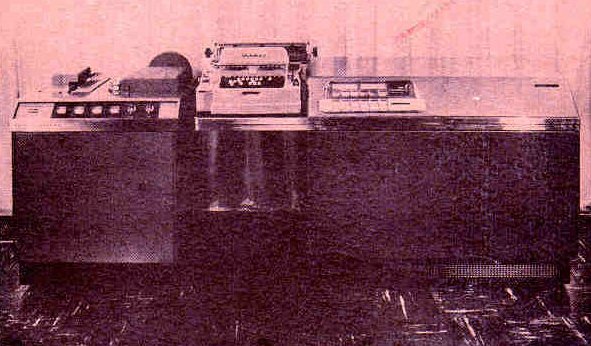
lgp30

My first personal computer was given to me in 1972 by Hume & Rumble Electrical Contractors. It was a Royal McBee / LibraScope General Precision / Control Data LGP-30. I had programmed it for them in the summer of 1968. It had no RAM, just a rotating magnetic drum, calculating at roughly 60 Hz. It contained mainly tubes with a few transistors. Input was via 4 or 6 level paper tape prepared on a Friden FlexOWriter. It had a 32 bit accumulator, but data in storage had to have the low order bit set to 0. It featured hardware integer multiply and divide. Much of my time coding was spent placing operands at auspicious places on the drum so that I could do more than one operation per drum revolution. I created paper "prayer wheels" as an optimisation tool.

My First Computer

ibm 1620

In 1962, IBM decided to perform an experiment to see if they could teach children to program computers. I was among the children selected. They taught us to write simple FORTRAN programs on the IBM 1620 using punch cards. As you might expect children learn faster than adults. Starting that summer, the West Vancouver School Board and the University of BC hired me to write a computer program to work out high school student timetables and schedules. IBM told me I was the youngest computer programmer in the world at that time. Back then it was a bit like being a child astronaut, allowed into the holy inner sanctum computer room. The 1620 at the university had an experimental new storage device called a "random access disk". A short time later it was replaced with an IBM 7044. I rubbed shoulders with people like Vern Detwiler (later of MacDonald Detwiler) and Nelson Skalbania who later became a famous tycoon.


CMP homejump to top
CMP logo
feedback Please email your feedback for publication, errors, omissions, broken/redirected link reports
and suggestions to improve this page to Roedy Green : feedback email
made with CSS
HTML Checked!
ICRA ratings logo
mindprod.com IP:[65.110.21.43]
Your face IP:[38.103.63.58]
You are visitor number 32,103.
You can get a fresh copy of this page from: or possibly from your local J: drive (Java virtual drive/mindprod.com website mirror)
http://mindprod.com/contact/equipment.html J:\mindprod\contact\equipment.html