 JDK
JDKVersion 1.9 is out, but I could not get it to install.
JDK (Java Development Kit). Formerly foppishly called the SDK (Software Development Kit). It is free and you may freely distribute any programs you create with it.
When you install multiple JREs (Java Runtime Environments)and JDKs (Java Development Kits) you will have many different java.exe, javaw.exe, javaws.exe and javac.exe installed. Which one is used depends on which JREs and JDKs you have installed, which JVMs are enabled in the Java Control Panel, the SET JAVA_HOME, the path, the current directory and the phases of moon used in a pseudo random number generator to select one of the installed Javas. Verify you are using what you expect with java.exe -version.
Further, to confuse everyone, Oracle’s marketing people refer to all Java versions 1.8 versions as Java 8. The JDK consists of a Java compiler, written in Java, and a run time interpreter for your particular platform. You compose programs using a traditional text editor or an IDE (Integrated Development Environment). The term JDK also refers generally to the set of Oracle-supplied classes including the AWT (Advanced Windowing Toolkit). Apple calls the JDK the MRJ. You cannot distribute the JDK with your program. You must distribute the stripped down JRE instead.To further confuse you, Oracle refers to the various downloads of Java updates. They are not updates, but entire new versions. You don’t need a previous version installed.
To use the JDK you must be running W2K, XP, W2003, Vista, W2008, W7-32, W7-64, W8-32, W8-64, W2012, W10-32, W10-64, Linux, LinuxARM, LinuxX86, LinuxX64, Ubuntu, Solaris, SolarisSPARC, SolarisSPARC64, SolarisX86, SolarisX64 and OSX.
The fewer JVMs (Java Virtual Machines) you have installed the better. If you have a 32-bit Windows, install just a 32-bit JDK. It will as a side effect install a 32-bit JRE. If you have a 64-bit Windows, install first a 64-bit JDK. It will as a side effect install a 64-bit JRE. Then install IntelliJ. Then if you need Java to run Applets in your browser, install a 32-bit JRE. Don’t Install any 1.7 JDKs or JREs. Set up your JAVA_HOME to use the 64-bit JDK and the path to use the 64-bit JRE. It is important to install the 32-bit JRE last so your browsers can find it. Set up the association for *.jar to use the 32-bit java.exe.
Below is how to get Java for Windows, Linux and Solaris. For other platforms (e.g. various Unices) see your OS (Operating System) vendor’s site. For example for NetBSD Unix Java is included in pkgsrc (the Packages System).
| Version | Executables | Documentation | What’s New |
|---|---|---|---|
| JDK
1.8.0_131
(current) |
Last revised/verified: 2016-07-19
Select Java SE 8u131
JDK
then your platform
W2K, XP, W2003, Vista, W2008, W7-32, W7-64, W8-32, W8-64, W2012, W10-32, W10-64, Linux, LinuxARM, LinuxX86, LinuxX64, Ubuntu, Solaris, SolarisSPARC, SolarisSPARC64, SolarisX86, SolarisX64 and OSX and
choose Windows (or whatever your platform).
Note that Apple Mac OSX is now included.
You don’t have to put up with a severely out of date version
from Apple any more. For
W7-64 and W8-64,
you will need both 64-bit
JDK
for the desktop and a 32-bit
JRE
for 32-bit browsers.) If both
browsers don’t show up in the Java
control panel, manually add the missing one. If you have a 64-bit browser,
you can run your Applets and Web starts in 64-bit
too. All the common
Windows browsers are still 32-bit.
The version you most likely want to
download is: Beware, JDK 1.8 drops support for -source 1.3, 1.4 and 1.5. JavaDB/Derby is supposed to be included in the JDK. After the install, make sure the Java DB SQL (Standard Query Language) engine install worked by running J:\Program Files\java\jdk1.8.0_131\ db\bin\sysinfo.bat and checking that it is the expected Java DB version. The JDK, described here, is for people who want to write their own Java programs. If all you want to do is run them, or browse Applets on the web, you should use the much smaller JRE instead. You don’t need both. The JDK includes the JRE. The Oracle installer is badly designed. Watch out for the following:
If you selected the default C: location, it will install a
If you manually selected a location, then the JDK will be where you specified e.g.
|
browse Javadocs You can read the docs online at https://docs.oracle.com/javase/8/docs/. Many entries in the Java glossary contains links into the online docs in the Learning More section. download Java documentation download API (Application Programming Interface) jdk-8u131-docs-all.zip 89MB in zipped HTML (Hypertext Markup Language) format. It has changed since the previous version, so you can’t just drag over your old docs directory. It is not at the top as advertised. Look about ¾ down the page. The link to the docs in is the middle of the page after the JDK and JRE downloads before the source downloads. It is confusing because there is a section of miscellaneous documentation at the top, which does not include the API documentation. You just unzip the download into your J:\Program Files\java\jdk1.8.0_131\ directory with folder names. There is no installer. I suggest you mark the docs directory as compressed to save space after you download and unzip it. Only the very curious will want the source downloads. You need to download and put the documentation in: J:\Program Files\java\jdk1.8.0_131\docs\ After you have installed the documentation, build a bookmark to it in your browser download JavaFX documentation javafx-8u131-apidocs.zip 10MB in zipped HTML format. Extract it into J:\Program Files\java\jdk1.8.0_131\api\ |
release notes.
To use any of the
rem compiling with JDK 1.8 features turned on
javac.exe -source 1.8 -target 1.8 MyProg.java
rem -30-
You might consider renaming src.zip to src.jar so that your IDE can see the source files for cross referencing. The install also puts some files in "C:\Program Files\java\common files\" . It will install two copies of the JRE, a private one with debugging turned on in J:\Program Files\java\jdk1.8.0_131\jre\ for the SDK tools and a public one with debugging turned off in C:\Program Files\java\jre1.8.0_131\ for all apps to use. The private debugging version is designed for tracing code through step by step. JET (Just Enough Time) Version jet12.0-pro-x86 supports up to Java 1.8.0_131 (The most recent Oracle release is 1.8.0_131 ). Last revised/verified: 2017-03-08. JET supports Vista, W2008, W7-32, W7-64, W8-32, W2012, W10-32, W10-64, Linux, LinuxX86, LinuxX64 and Ubuntu. Mac OSX is coming soon. JET comes with a precompiled JRE, so you don’t actually need to install a Oracle JDK 1.8.0_131 though obviously you will need some JDK for development, usually JDK 1.8.0_131. JET jet12.0-pro-x86 now lets you natively compile Tomcat and Tomcat applications. There are currently no MPs (Modifier Packs) to download and install for Jet jet12.0-pro-x86. |
Sooner or later you will have to reinstall the JDK/JRE and you will lose your ext directories. You can quickly rebuild them if you maintain a bat file like this and run it after every JRE/JDK install. Adjust the file to account for where your ext dirs are and where the jars are you need.
To access the JDK under Linux, you need to set up two environment variables JAVA_HOME and the PATH.
For client use, you don’t need to put anything on the path. The JRE installer puts a dummy copy of java.exe on the path in C:\WINNT\system32 to get things started. When it is invoked, it looks in the registry to find the current actual java.exe. javaws.exe works the same way.
| Java JDK Releases Dates and Release Differences | |||
|---|---|---|---|
| Date | Version | Codename | New Features Introduced In that Release |
| 1996-01-23 | 1.0 | Oak? | Java released to public |
| 1997-02-18 | 1.1 | Sparkler | No longer supported. Added a totally new event model, using Listeners, anonymous classes and inner classes. This is the level Microsoft has trapped many of its customers at. Netscape proprietary RSA code signing. Microsoft proprietary CAB (Cabinet file) code signing. |
| 1997-09-12 | 1.1.4 | Sparkler | |
| 1997-12-03 | 1.1.5 | Pumpkin | |
| 1998-04-24 | 1.1.6 | Abigail | |
| 1998-09-28 | 1.1.7 | Brutus | |
| 1999-04-08 | 1.1.8 | Chelsea | |
| 1998-12-04 | 1.2 | Playground | No longer supported. Added ArrayList and other Collections, added Swing (though the initial release is missing many methods). Added DSA (Digital Signature Algorithm) code signing. Added BufferedImage |
| 1999-03-30 | 1.2.1 | (none) | |
| 1999-07-08 | 1.2.2 | Cricket | |
| 2000-05-08 | 1.3 | Kestrel | No longer supported. java.util.Timer, java.lang. StrictMath, Runtime. addShutdownHook, java.awt. Robot, java.awt.print. PageAttributes, java.media.sound (MIDI (Musical Instrument Digital Interface) and sampled). Hotspot introduced. RMI (Remote Method Invocation) now has the option of using CORBA (Common Object Request Broker Architecture) ’s IIOP protocol. Added RSA code signing, which quickly effectively obsoleted DSA certificates. |
| 2001-05-17 | 1.3.1 | Ladybird | |
| 2002-02-13 | 1.4 | Merlin | No longer supported. added regexes, assertions and nio. |
| 2002-09-16 | 1.4.1 | Hopper (Grasshopper) | |
| 2003-06-26 | 1.4.2 | Mantis | |
| 2004-09-29 | 1.5 | Tiger | added StringBuilder, java.util.concurrent, generics, enums, annotations, autoboxing, covariant return types, for:each, static import and variable-length argument lists. MacOS for the PowerPC is stuck at version 1.5. . |
| 2006-12-12 | 1.6 | Mustang | System tray, subpixel antialiasing, Document-modal, Application-modal, Toolkit-modal, Applet splash screens, JTable sorting, true double buffering, digitally signed XML (extensible Markup Language) files, JWS (Java Web Start) support for *.ico and *.png, JavaCompiler (ability to invoke javac cleanly), JDBC (Java Data Base Connectivity) 4.0, smart card API, Console. readPassword, improved drag & drop. Apple OS X 10.5 supports JDK 1.8.0_131. pluggable annotations, more. |
| 2011-07-28 | 1.7 | Dolphin | String case lablels. binary literals. Underscores in numeric literals. Multiple Exception catch. |
| 2013-09 | 8.0 | none | closures aka lambda λ lambda expressions, unsigned literals, annotations on Java types, date and time API (to unify Date and Calendar, use 1-based months, deal with multihour DST) tight integration with JavaFX. |
| Future Versions | |||
| 2017-03 | 9.0 | none | better support for multi-gigabyte heaps, better native code integration and a self-tuning JVM. JSON support. Kulla scripting. At one point it included an AOT compiler, but that has probably been dropped. |
| 2018 | 10.0 | none | Primitives behave identically to objects. 64-bit arrays and Collections. Currency.? |
Here is what I do when Oracle releases a new version of the JDK. For you, it is simpler:
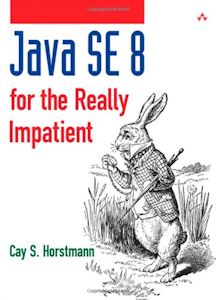 |
recommend book⇒Java SE 8 for the Really Impatient | |||||||||||||||||||||||||||||||||||||||||||||||||||||||
| by | Cay S. Horstmann | 978-0-321-92776-7 | paperback | |||||||||||||||||||||||||||||||||||||||||||||||||||||
|---|---|---|---|---|---|---|---|---|---|---|---|---|---|---|---|---|---|---|---|---|---|---|---|---|---|---|---|---|---|---|---|---|---|---|---|---|---|---|---|---|---|---|---|---|---|---|---|---|---|---|---|---|---|---|---|---|
| publisher | Addison-Wesley Professional | B00HSH2QT6 | kindle | |||||||||||||||||||||||||||||||||||||||||||||||||||||
| published | 2014-01-24 | |||||||||||||||||||||||||||||||||||||||||||||||||||||||
| This is not a book to learn Java. It is for programmers already familiar with JDK 1.7 to learn the new features of JDK 1.8. Readers praise it for its lack of fluff and for focusing on new material, not reviewing what everyone already knows. Horstman has written many other well-regarded text books. | ||||||||||||||||||||||||||||||||||||||||||||||||||||||||
| ||||||||||||||||||||||||||||||||||||||||||||||||||||||||
| Greyed out stores probably do not have the item in stock. Try looking for it with a bookfinder. | ||||||||||||||||||||||||||||||||||||||||||||||||||||||||
 |
This page is posted |
http://mindprod.com/jgloss/jdk.html |
Optional Replicator mirror
|
J:\mindprod\jgloss\jdk.html | |
 |
Please read the feedback from other visitors,
or send your own feedback about the site. Contact Roedy. Please feel free to link to this page without explicit permission. | |
| Canadian
Mind
Products
IP:[65.110.21.43] Your face IP:[18.191.180.252] |
| |
| Feedback |
You are visitor number | |