


 regex
regex
Regex cannot do tasks like look for balanced ( ) or deal with a simple precedence grammar. For that you need a parser. Regexes are also very awkward if your fields are not in some standard order. They drive you nuts analysing HTML (Hypertext Markup Language) form parameters for example where the parms can come in any order. They are great when data come is some standard order, with some missing with alternate forms and variable separators.
Regexes will drive you insane like no other kind of computer programming will. You can stare at them for hours and have no clue why they fail to match. If you change them the tiniest bit, they will refuse to work. The problem is they are black boxes. You can’t watch them work to figure out why and where they are failing. Failures are often subtle reluctant/greedy issues, or a failure in a totally different part of the regex that you presumed. Escaping requires great precision since there are two escaping/quoting mechanisms interacting, one for regex and one for Java String literals. If you are having trouble, write a one-shot Java program or write a simple parser.
Unfortunately, the regex people used the same quoting character \ as the designers of Java did for String literals. In a non-regex Java String literal, every literal \ must be doubled. In a regex every literal \ must be doubled. So when you express a regex as a Java String literal, every literal \ must be quadrupled! and written as \\\\.
When you compose a regex String on the fly, character by character, then Java String literal quoting is no longer at play. There you merely need double each \. Be especially careful with File.file SeparatorChar in composed on the fly regexes. If it is \ it must be doubled.
Java 1.4.1+ also offers \Q… \E quoting long passages without having to quote command characters individually. You still have to quote for String literals though.
The quoter amanuensis will let you compose your literal regex strings then convert them to deal with both regex and Java \\ quoting.
In Java version 1.5 or later, Pattern.quote( String ) will do the same thing the quoter amanuensis does to a String to give you the equivalent regex, properly quoted to match it literally. It just mindlessly sandwiches the string in \Q … \E, whether it needs it or not.
Again, it won’t hurt to quote punctuation that doesn’t need it. Note that " and ' don’t need regex quoting, though they need Java quoting.
| How to Write Awkward Characters Literally in Java Regex String Literals | ||||
|---|---|---|---|---|
| Character name | Character | Java literal | Regex | Java literal + Regex |
| left bracket,
acting as a regex command character |
[ | [ | [ | [ |
| left bracket,
reserved regex command character metacharacter acting as a literal [ |
[ | [ | \[ | \\[ |
| A literal newline character | ??? | \n | \n | \\n |
| A literal carriage return character | ??? | \r | \r | \\r |
| A literal double quote character,
magic to Java, nothing special to regex. |
" | \" | " | \" |
| A literal single quote character,
magic to Java, nothing special to regex. |
' | \' | ' | \' |
| A literal backslash character,
magic to both Java and regex. |
\ | \\ | \\ | \\\\ |
| Regex Variations Table | ||||
|---|---|---|---|---|
| Use | Java | SlickEdit®
Unix |
Funduc SR | Function |
| Use | Java version 1.4 or later | SlickEdit
Unix |
Funduc SR | Function |
| search
reserved chars (quoted with \) |
search metachars outside character class
[]
$()*+.?[\]^{|} Prune this string to get just the chars you want: !"#\$%&'\(\)\*\+,\-\./0…9:;<=>\?@A…Z\[\\\]\^_`a…z\{\|\} search metachars inside character class [] [-^[\]] but not dot. - does not need to be quoted if it is the first character after [. Prune this string to get just the chars you want for a character class: [ !"#$%&'()*+,\-./0-9:;<=>@A-Z\[\\\]\^_`a-z{|}] |
*+.-?[\]{|}
Prune this string to get just the chars you want: !"#$%&'()\*\+,\-\./0…9:;<=>\?@A…Z\[\\\]^_`a…z\{\|\} |
!$()*+-?[\]^|
Prune this string to get just the chars you want: \!"#\$%&'\(\)\*\+,\-./0…9:;<=>\?@A…Z\[\\\]\^_`a…z{\|} |
Reserved metacharacters in search strings must be \-quoted if used as data chars, e. g. \+ \* \|. If in doubt, quote. It won’t hurt. |
| replace
reserved chars (quoted with \) |
\$ | \ | % < > \ | Reserved metacharacters in replace strings must be \-quoted if used as data chars, e. g. \% \\ \< \> If in doubt, quote. It won’t hurt. In Java, you can abbreviate [a-z\.] as [a-z.] since . is clearly a character not a command inside []. |
| any | . | . | . | Matches anything. In Java . sometimes matches Cr and Lf and sometimes not. |
| 0+ | greedy: *
reluctant: *? |
* | * | Zero or More of the preceding thing. .* matches
anything.
.* is nearly always useless. You normally want
.*? so that the tail end of your regex will have
effect. In Funduc, the *
comes before the thing repeated, e.g. *[] to
match anything even over multiple lines. In Java and SlickEdit, the
* comes after, e.g. [a-z]*. Normally you want .*?, the reluctant form instead of .* for wildcard matching. As a rule of thumb, if your regex is
matching too long a string, try replacing a greedy quantifier with a
reluctant one. The documentation mislead me. It made it sound as if reluctant
would only every match a single character — pretty lame, but that is
not so. It just finds the first match to your complete regex. |
| 1+ | greedy: +
reluctant: +? possessive: ++ |
+ | + | One or More of the preceding thing. In Funduc, the + comes before the thing repeated, e.g. +[0-9\,\.\+\-] to crudely match a number. In Java and SlickEdit, the + comes after, e.g. [0-9\,\.\+\-]+. |
| 1 | {1} | {1} | default | Exactly One of the preceding things, similarly for any {n}.
Here is a cute trick to use this Java feature to count characters, inserting a dash between pairs of characters: // insert a dash between chars String cute = "AA54BG4G3G".replaceAll( "(\\w{2})(?!$)", "$1:" ); // cute is "AA-54-BG-4G-3G" |
| 0 or 1 | greedy: ?
reluctant: ?? |
? | Zero or One of the preceding thing. e.g (abc)? will match "" or abc | |
| group | capturing: ( — )
non-capturing: (?: — ) |
( — ) | ( — ) | Delimits a group of characters or patterns. The characters matching the
group will show up when you call group(i). However,
they won’t if you make the group non-capturing.
Java
group( 0 ) gets you the entire pattern, including text outside (). group( 1 ) gets you
the text inside the first (). groupCount() gets you the number of captured fields, not including the whole pattern.
group(1) can sometimes return null,
even when groupCount() returns 1.
Funduc () works only on expressions. xref?!(=) finds the letters xref followed by anything but =.
Normally you leave the () for replacement off, e.g.
+[a-z] not (+a-z). |
| not char | ^ | ~ | ?!() | Not character operator, e.g. In Java, [^abc] means anything but a, b or c. In other contexts ^ means start of line. In Vslick [~abc] means the same. In Funduc () works only on expressions. xref?!(=) finds the letters xref followed by anything but =. Normally you leave the () for replacement off, e.g. +[a-z] not (+a-z). In Java you can say [a-z&&[^m-p]] to get a through z, except m through p. |
| not exp | (?!X) | ~ | ! | Not expression operator. In Java anything but X, via zero width negative lookahead. After the non-match, you continue where you left off, not at the end of the non-matching string. In Java, you might search for a word beginning with l but not a lion like this: "(?!lion)l[a-z]+ ". (?! looks ahead and aborts the match if it sees the undesirable pattern. In Funduc xref?!(=) finds the letters xref followed by anything but =. In Funduc you cannot use ! inside […] range operators. If you wanted the printable ASCII (American Standard Code for Information Interchange) chars except < and > for example, you would have to code it terms of the chars you wanted like this: [!-;=?-~]. |
| or | | | | | | | infix or Operator, (cat|dog) matches cat or dog. Like any () group, the set gets its own dedicated group(i) slot. Funduc | is quite limited since the or expressions must be simple strings. They may not contain operators. For example, in Funduc, <(td|li)*[a-z =]> is legit, but (<td*[a-z =]>)|(<li*[a-z ="]>) is not. |
| any | . | . | ? | any char but newline. To make newline \n also match dot, in Java, embed (?s) early in
the string. (?s) does not match anything, it just
switches mode.
in Java, you can also turn the
scan-over-line-endings mode on with a Pattern.compile("xxx", Pattern.DOTALL) to control
whether \n is considered any character. You can turn it off again with (?-s).
Use plain . not [.]
because inside square brackets dot just means a literal period, not
any-character. |
| nl | \r\n | \n | \r\n | newline, given for Windows. |
| sol | ^ | ^ | ^ | Start of Line. In other contexts means not. See notes on $. |
| eol | $ | $ | $ | End of Line. For Windows, matches a pair of characters \r\n. For Linux matches \n. For Mac
matches \r.
|
| sof | ^^ | Start of File | ||
| eof | $$ | End of File | ||
| range | [] | [] | [] | Range Operator, list of chars,[ab] means match a
or b. [a-z] matches any character in range a
through z. [0-9] is a digit. [a-z] is lower case. [A-Z] is upper
case. [ -_] (space dash underscore) is any
printable ASCII
char.
In Funduc, you don’t need parenthesis around [a-z] in the search string. Keep strings of selection characters inside [] in alphabetical order. It will make proofreading easier and comparing regexes easier, e. g. [ a-z0-9\"%&'\\(\\)\\-./:;\\?=_] The quoter amanuensis will compute the span of any string, a canonical regex expression that will hop over the string. It will create tidy complex range expressions sorted in alphabetical order. |
| negation | [^, ] | [~, ] | n/a | any character except a comma or space |
| intersection | [a-z&&[^bc]] | n/a | n/a | a through z, except for b and c |
| sub | () | () | () | Sub-Expression.
In Funduc, you don’t need parenthesis around *[a-z] in the search
string. Further, you must not use them! |
| col | +n | Column Operator | ||
| replace | $1 | \1
\2 etc. |
%1
%2 etc. %1< (to lower case) %1> (to upper case) can also do math. |
back reference to tagged expression #1, in () for replace.
E.g. in SlickEdit to replace all occurrences of <span class=jmethod> used before an upper case name, converting them to <span class=jclass>.. Search string : <span class=jmethod>([A-Z]) Replace string : <span class=jclass>\1 Remember to turn exact case matching on for these to work. In Funduc, you don’t need parenthesis around [a-z] in the search string. [a-z]* in Funduc will put the first character in %1 and the rest of the match in %2, very confusing. Java regex has only very primitive replace ability. Every match must be replaced by the same string, with $1 $2 etc to bring over matched pieces from the original String. However, in Java you can also use \1 in the match string to insist on a match for some expression found earlier in the string, i.e. a repeated pattern, most commonly used to make sure single or double quotes balance. Use Matcher. replaceAll. IntelliJ editor uses standard Java regex, including $1 to mark a replacement parameter. |
| replace
example |
search: \(([a-zA-z\(\"])
replace: \( $1 |
search: \(([a-zA-z\(\"])
replace: \( \1 |
search: \([a-zA-z\(\"]
replace: \( %1 |
Replace all (x with ( x but only if x is alphabetic or ( or " |
| single white space | \s = [ \t\n\x0B\f\r] | [ \t\n] | [ \t\r\n] | single white space |
| white spaces | \s+ | \:b | +[ \t\r\n] | one or more white spaces, [ \t\n\x0B\f\r] Watch out, matches line end as well! |
| poss white spaces | \s* | [ \t\r\n]* | *[ \t\r\n] | zero or more white spaces, [ \t\n\x0B\f\r]* Watch out, matches line end as well! |
| black | \S | [^ \t\n] | [! \t\r\n] | single non white space (blank, tab) |
| blacks | \S+ | [^ \n\t]+ | +[! \r\n\t] | one or more non-white spaces |
| word | (\p{Alpha}+) | \:w | +[A-Za-z] | alphabetic word (string of A-Z a-z ) |
| number | ([0-9\,\.\+\-]+) | ([0-9\,\.\+\-]+) | +[0-9\,\.\+\-] | number (string of digits, commas, decimal points and signs) |
| quoted | \(\\\|([ A-Za-z\'\[\]\+\=\!\@\#
\$\%\^\&\*\(\) \<\>\:\;\?\|\\]*))\" |
\:q | \(\\\(*[ A-Za-z\'\[\]\+\=\!\@\#
\$\%\^\&\*\(\) \<\>\:\;\?\|\\]*))\" |
quoted String. It easier just to quote all punctuation sometimes. It is easier to proofread. Don’t quote : in Vslick since \:… has special meaning. |
| special | The following work both inside and outside []. \D = non digit = [^0-9] \s = single whitespace char = [ \t\n\x0B\f\r] \S = not whitespace = [^\s] \w = single alphanumeric char = [a-zA-Z_0-9] \W = not alphanumeric = [^\w] The following work both inside and outside []. The following are all case-sensitive. You must specify \p{Lower} not \P{lower} etc.
\p{Lower} overrides CASE_INSENSITIVE. Even then it
will not match upper case letters.
\p{Upper} = [A-Z] \p{ASCII } = [\x00-\x7F] \p{Alpha} = [A-za-z] \p{Digit} = [0-9] [\p{Digit}\.]+ = [0-9\.]+ decimal number \p{Alnum} = [[A-Za-z0-9] \p{Punct} = [!"#\$%&'\(\)\*\+,\-\./:;<=>\?@\[\\\]\^_`\{\|\}~] \p{Graph} = [\p{Alnum}\p{Punct}] \p{Print} = [\p{Graph}\x20] \p{Blank} = [ \t] c.f. \s \p{Cntrl} = [\x00-\x1F\x7F] \p{XDigit} = [0-9a-fA-F] \p{Space} = [ \t\n\x0B\f\r] c.f. \s \p{IsAlphabetic} letter, possibly accented, possibly in some non-Latin alphabet. \p{javaLowerCase} lower case letter, possibly accented, possibly in some non-Latin alphabet. \p{javaUpperCase} upper case letter, possibly accented, possibly in some non-Latin alphabet. \p{Lu} = upper case letter \p{InGreek} = Greek letter \p{Sc} = a currency symbol [\p{L}&&[^\p{Lu}]] = anything but an upper case letter. (?i) = turn on case-insensitive mode (?-i) = turn on case-sensitive mode |
\:a alphanumeric char = [A-Za-z0-9] \d0-\d27 ASCII codes 0…27 specified as 8-bit decimal. \:b blanks = ([ \t]+) \:c alpha char = [A-Za-z] \:d digit = [0-9] \:f filename part \:h hex = ([0-9A-Fa-f]+) \:i int = ([0-9]+) \:n float \:p path \:q quoted string \:v C language variable name = ([A-Za-z_$][A-Za-z0-9_$]*) \:w word = ([A-Za-z]+) |
predefined match strings, e.g. \:w = ([A-Za-z]+) matches a word. Those are braces in \p{Alnum} not parentheses. It can be hard to tell in some typefaces. The strings are case-sensitive and when used in Java source code such strings must be coded as \\p{Alnum}. \d \D \s \S \w \W \p{Lower} etc. will also work inside […]. \p{Lower] is not quite identical to [a-z] If you have CASE_INSENSITIVE, \p{Lower} will only match lower case letters while [a-z] will also match upper case ones. | |
| capture | X{n} X{n,m}
capturing ( — ) non-capturing (?: — ) greedy: + reluctant: +? possessive: ++ |
%%srpath%%
%%srfile%% %%srfiledate%% %%srfiletime%% %%srfilesize%% %%srdate%% %%srtime%% %%envvar=fruit%% |
X{n,m} means X appears exactly n to m times.
X{n} means X appears exactly n times. X{n,} means X appears at least n times | |
This table only covers the most common magic characters. See the documentation for each Regex package for details.
| Multiples in Java Regex | |
|---|---|
| [A-Z] | A single upper-case letter |
| [A-Z]* | zero or more upper-case letters |
| [A-Z]+ | one or more upper-case letters |
| [A-Z][A-Z] | Exactly two upper-case letters |
| [A-Z]{2} | Exactly two upper-case letters (same as above) |
| [A-Z]{2,} | Two or more upper-case letters |
| [A-Z]{2,10} | Between 2 and 10 (inclusive) upper-case letters |
| [a-zA-Z] | A single letter, upper- or lower-case |
| How To Encode Awkward Characters | |
|---|---|
| How | Desired |
| \\\\ | \ The literal backslash character. You must double the \ twice since \ is the quoting character in both Java and Regex literals. |
| \\xhh | The character with hexadecimal value 0xhh, e.g. \\xff. Only works with two hex digits! |
| \uhhhh | The character with hexadecimal value 0xhhhh, e.g. \u20ac. Must always have exactly four hex digits. Don’t use for control characters e.g. 0..ff since \u expansion happens prior to compilation. In other words \u000a will start a new line in your program. Note there is only one lead \. |
| \\t | The tab character \u0009 |
| \\n | The newline (line feed) character \u000a |
| \\r | The carriage-return character \u000d |
| \\x0c | The form-feed character \u000c. |
| \\a | The alert (bell) character \u0007 \a itself is illegal in Java Strings |
| \\e | The escape character \u001b |
| \\cx | control characters, e.g. \\cq for ctrl-q. |
| \\- | Literal -, not a regex range operator. |
| \\+ | Literal +, not a regex operator. |
| \\* | Literal *, not a regex operator. |
| \\? | Literal ?, not a regex operator. |
| \\( | Literal (, not a regex expression bracketer. |
| \\) | Literal ), not a regex expression bracketer. |
| \\[ | Literal [, not a regex expression bracketer. |
| \\] | Literal ], not a regex expression bracketer. |
| \\{ | Literal {, not a regex expression bracketer. |
| \\} | Literal }, not a regex expression bracketer. |
| \\| | Literal |, not a regex operator. |
| \\$ | Literal $, not a regex end of line. |
| \\^ | Literal ^, not regex operator. |
| \\< | Literal <, not regex operator. |
| \\= | Literal =, not regex operator. |
The Quoter utility will quote regexes for you, for Java, SlickEdit and Funduc. It will also work out regex patterns needed to span a given string of characters.
You can also use a sandwich to quote characters. \Q… \E
You can use the JetBrains IntelliJ Idea IDE which highlights characters that are improperly quoted or improperly nested.
Java 1.4.1+ regexes have assertions, extra conditions placed on the match. Colourful regex terminology includes:
By default regexes are case-sensitive.
| Possible Pattern flags | ||
|---|---|---|
| Flag | Alternate Embedded Code | Notes |
| CASE_INSENSITIVE | (?i) | Makes case does not matter on matching, s matches S. Even if you use it, \p{Lower} will not match upper case letters. [a] will match A though. |
| MULTILINE | (?m) | Make ^ and $ match embedded newlines. You might expect embedded newlines to match by default, but they don’t. For Java, $ means end of string not end of line, unless you turn on multiline mode by embedding (?m) first. You can turn it off again with (?-m). You can also turn it on with Pattern. compile( xxx, Pattern.MULTILINE ). |
| DOTALL | (?s) | Makes . match any character, including a line terminator. By default . does not match line terminators. |
| UNICODE_CASE | (?u) | Used in conjunction with CASE_INSENSITIVE to use the elaborate code-folding schemes to compare Unicode upper and lower case. By default, the presumption is all characters being matched are US-ASCII. |
| CANON_EQ | Treats canonically accented characters done with single char or with a pair as equivalent e.g. å : the pair a\u030A is the treated the same as the single character \u00E5. | |
| UNIX_LINES | (?d) | \n is recognised in ^ and $ processing. |
| LITERAL | \Q… \E | Treat all characters as ordinary literals rather than as commands. You don’t then quote with \. |
| COMMENTS | ?x | Makes whitespace ignored and allows embedded comments starting with # that are ignored until the end of a line. |
There are all kinds of ways to write a regex that will only sometimes find quoted regex strings (characters enclosed in " or '). The sample code below will show you some ways not to do it and also some ways that work.
Here are the results of the program:
As the specifications get more and more complicated, regexes run out of steam. Instead you want to write a parser. The code will be special purpose, faster and easier to modify.
(?!X) is the exclusion or negative regex operator, anything but X, via zero width negative lookahead. After the non-match, you continue where you left off, not at the end of the non-matching string. In Java, you might search for a word beginning with l but not a lion like this: (?!lion)l[a-z]+ . (?! looks ahead and aborts the match if it sees the undesirable pattern. I have not completely understood this operator. Sometimes exclusions don’t work and I have no idea why. It sometimes easier to let the regex collect too much stuff and then toss what you don’t need programmatically in Java.
Sometimes lists of characters in [ ] get so complicated, it would be easier to specify the characters you don’t want rather than the ones you do. Here is how to specify anything but a ". [^"] Here is how to specify anything but the letters wxyz [^w-z].
Here is how you do a case-insensitive find.
The following example will help you understand how the or | operator works and the effects of using layers of capturing ().
There are four Matcher methods you might confuse:
You probably do not want to use regionStart() and regionEnd(). You want start() and end().
Here is an SSCCE (Simple Self Contained Compilable Example) to illustrate these gotchas.
// ensuring the Pattern is compiled only once.
private static final Pattern p = Pattern.compile( "[a]*" );
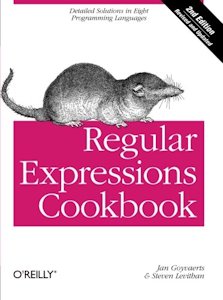 |
recommend book⇒Regular Expressions Cookbook | |||||||||||||||||||||||||||||||||||||||||||||||||||||||
| by | Jan Goyvaerts, Steven Levithan | 978-1-4493-1943-4 | paperback | |||||||||||||||||||||||||||||||||||||||||||||||||||||
|---|---|---|---|---|---|---|---|---|---|---|---|---|---|---|---|---|---|---|---|---|---|---|---|---|---|---|---|---|---|---|---|---|---|---|---|---|---|---|---|---|---|---|---|---|---|---|---|---|---|---|---|---|---|---|---|---|
| publisher | O’Reilly  |
978-1-4493-2748-4 | eBook | |||||||||||||||||||||||||||||||||||||||||||||||||||||
| published | 2012-09-03 | B008Y4OP1O | kindle | |||||||||||||||||||||||||||||||||||||||||||||||||||||
| Shows regexes for C#, Java, JavaScript, Perl, PHP, Python, Ruby and VB.NET | ||||||||||||||||||||||||||||||||||||||||||||||||||||||||
| ||||||||||||||||||||||||||||||||||||||||||||||||||||||||
| Greyed out stores probably do not have the item in stock. Try looking for it with a bookfinder. | ||||||||||||||||||||||||||||||||||||||||||||||||||||||||
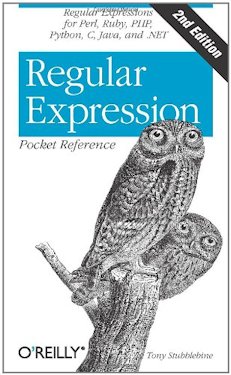 |
recommend book⇒Regular Expression Pocket Reference: Regular Expressions for Perl, Ruby, PHP, Python, C, Java and .NET, second edition | |||||||||||||||||||||||||||||||||||||||||||||||||||||||
| by | Tony Stubblebine | 978-0-596-51427-3 | paperback | |||||||||||||||||||||||||||||||||||||||||||||||||||||
|---|---|---|---|---|---|---|---|---|---|---|---|---|---|---|---|---|---|---|---|---|---|---|---|---|---|---|---|---|---|---|---|---|---|---|---|---|---|---|---|---|---|---|---|---|---|---|---|---|---|---|---|---|---|---|---|---|
| birth | 1978-04-30 age:40 | 978-1-4493-7886-8 | eBook | |||||||||||||||||||||||||||||||||||||||||||||||||||||
| publisher | O’Reilly |
B0093SZ4QU | kindle | |||||||||||||||||||||||||||||||||||||||||||||||||||||
| published | 2007-07-25 | |||||||||||||||||||||||||||||||||||||||||||||||||||||||
| The Owl Cheat Sheet for regexes. Pocket reference companion to Mastering Regular Expressions which also has an owl on the cover. | ||||||||||||||||||||||||||||||||||||||||||||||||||||||||
| ||||||||||||||||||||||||||||||||||||||||||||||||||||||||
| Greyed out stores probably do not have the item in stock. Try looking for it with a bookfinder. | ||||||||||||||||||||||||||||||||||||||||||||||||||||||||
 |
recommend book⇒Mastering Regular Expressions, Powerful Techniques for Perl and Other Tools, third edition | |||||||||||||||||||||||||||||||||||||||||||||||||||||||
| by | Jeffrey E. Friedl andy Oram | 978-0-596-52812-6 | paperback | |||||||||||||||||||||||||||||||||||||||||||||||||||||
|---|---|---|---|---|---|---|---|---|---|---|---|---|---|---|---|---|---|---|---|---|---|---|---|---|---|---|---|---|---|---|---|---|---|---|---|---|---|---|---|---|---|---|---|---|---|---|---|---|---|---|---|---|---|---|---|---|
| birth | 1966 age:51 | 978-1-4493-3253-2 | eBook | |||||||||||||||||||||||||||||||||||||||||||||||||||||
| publisher | O’Reilly |
B007I8S1X0 | kindle | |||||||||||||||||||||||||||||||||||||||||||||||||||||
| published | 2006-08-08 | |||||||||||||||||||||||||||||||||||||||||||||||||||||||
| The Owl Book. Includes scripting languages such as Perl, Tcl, auk and Python. Does not specifically cover Java, though Java regexes were modeled on Perl. More a book for regex experts to hone their skills than a newbie to learn regexes. It is a good place to find regex solutions to standard problems. While it isn’t made up in cookbook style, the examples are usually real-life problems that can be put into practical use. | ||||||||||||||||||||||||||||||||||||||||||||||||||||||||
| ||||||||||||||||||||||||||||||||||||||||||||||||||||||||
| Greyed out stores probably do not have the item in stock. Try looking for it with a bookfinder. | ||||||||||||||||||||||||||||||||||||||||||||||||||||||||
Slick Edit documentation available from Help | contents ⇒ Search and Replace ⇒ Regular Expressions ⇒ Unix Regular Expressions.
Funduc search and replace documentation is available from Help ⇒ contents ⇒ Regular Expressions | Search Operators.
tcc/TakeCommand documentation is available from help | contents ⇒ wildcards ⇒ advanced wildcards
 |
This page is posted |
http://mindprod.com/jgloss/regex.html |
Optional Replicator mirror
|
J:\mindprod\jgloss\regex.html | |
 |
Please read the feedback from other visitors,
or send your own feedback about the site. Contact Roedy. Please feel free to link to this page without explicit permission. | |
| Canadian
Mind
Products
IP:[65.110.21.43] Your face IP:[3.16.67.54] |
| |
| Feedback |
You are visitor number | |


