However, encodings are more versatile than that. They also let you read and write big or little endian 16-bit Unicode character streams. In theory encodings could support complex encoding structures, translation, compression, or quoting. One letter may become many or vice versa. Letters may be suppressed.
Encodings are usually trap door. When you translate to 8-bit you lose information. When you translate it back to Unicode some characters will not come back the same way they were originally. Some may even be missing.
Encodings are not used in AWT (Advanced Windowing Toolkit) or Swing. You use pure 16-bit Unicode chars and Strings. How it displays depends on how clever the Font is at displaying Unicode. Normally it will display only some small subset of the characters properly. See FontShower to learn a bit about what your Font supports.
Java 1.8.0_131 supports 166 different encodings. If you are an English-speaking Windows developer, the ones you will use most often are UTF-8, windows-1252 (the default), ISO-8859-1, ASCII (American Standard Code for Information Interchange), UTF-16 and IBM437.
The class is called java.nio.charset.Charset charset.Charset not java.nio.charset.CharSet. To aid in the confusion, CharSet is a class in the Apache commons classes.
There are five sources of information:
In addition, you could consider compression and encryption and specialised types of encoding.
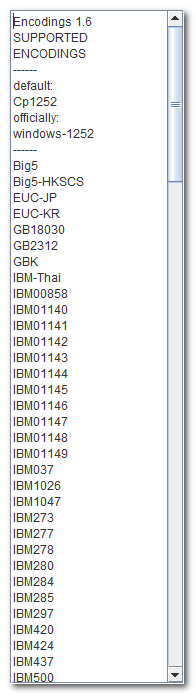
List of encodings supported in this browser and this Java. Source available.
The key to this Applet is java.nio.charset.Charset. availableCharsets().
 .
. Get New Java
Get New Browser
Get New Java
Get New Browser
 .
Get New Java
Get New Browser
.
Get New Java
Get New Browser
| Java Encodings | |||
|---|---|---|---|
| Common Encoding name | Supp-
orted? |
Official Java Name | Description |
| 8859_1 | ISO-8859-1 | Latin-1 ASCII (the USA default). This just takes the low order 8 bits and tacks on a high order 0 byte. Same as ISO-8859-1. Microsoft’s variant of Latin-1 is called Cp1252. UTF-8 and ISO-8859-1 encode 7 bit characters identically, 0x00…0x7f, but after than that are quite different. | |
| ASCII | US-ASCII | 7-bit ASCII, plus forms like \uxxxx for the exotic characters. | |
| base64 | base64 source code is available. | ||
| base64u | base64u source code is available. A variant of Base64 also URL-encoded. | ||
| base85 | |||
| Big5 | Big5 | Big5, Traditional Chinese | |
| Big5-HKSCS | Big5-HKSCS | Big5 with Hong Kong extensions, Traditional Chinese | |
| Big5-Solaris | Not supported in Windows. Big5 with seven additional Hanzi ideograph character mappings for the Solaris zh_TW.BIG5 locale | ||
| CESU-8 | CESU-8 | Added in JDK 1.8.0. A modified UTF-8. | |
| Cp037 | IBM037 | USA, Canada (Bilingual, French), Netherlands, Portugal, Brazil, Australia, EBCDIC, aka Cp1040 | |
| Cp038 | International EBCDIC, aka IBM038 | ||
| Cp273 | IBM273 | IBM (International Business Machines) Austria, Germany, aka Cp1141 | |
| Cp277 | IBM277 | IBM Denmark, Norway, EBCDIC, aka Cp1142 | |
| Cp278 | IBM278 | IBM Finland, Sweden, EBCDIC, aka Cp1143 | |
| Cp280 | IBM280 | IBM Italy, EBCDIC, aka Cp1144 | |
| Cp284 | IBM284 | IBM Catalan/Spain, Spanish Latin America, EBCDIC, aka Cp1145 | |
| Cp285 | IBM285 | IBM United Kingdom, Ireland, EBCDIC, aka Cp1146 | |
| Cp297 | IBM297 | IBM France, EBCDIC, aka Cp1147 | |
| Cp420 | IBM420 | IBM Arabic, EBCDIC aka IBM240 | |
| Cp424 | IBM424 | IBM Hebrew, EBCDIC | |
| Cp437 | IBM437 | Original IBM PC (Personal Computer) OEM (Original Equipment Manufacturer) DOS (Disk Operating System) character set (with line drawing characters and some Greek and math), MS-DOS United States, Australia, New Zealand, South Africa. The rest of the world uses Cp850 for the DOS box. | |
| Cp500 | IBM500 | IBM Belgium and Switzerland, EBCDIC, 500V1, aka Cp1148 | |
| Cp737 | x-IBM737 | PC Greek | |
| Cp775 | IBM775 | PC Baltic | |
| Cp838 | IBM-Thai | IBM Thailand extended SBCS, aka IBM838 | |
| Cp850 | IBM850 | Microsoft DOS Multilingual Latin-1 (with line drawing characters). For true Latin-1 see ISO-8859-1. See Cp437. | |
| Cp852 | IBM852 | Microsoft DOS Multilingual Latin-2 Slavic | |
| Cp855 | IBM855 | IBM Cyrillic | |
| Cp857 | IBM857 | IBM Turkish | |
| Cp858 | IBM00858 | variant of Cp850 with the Euro. Microsoft DOS Multilingual Latin-1 (with line drawing characters). For true Latin-1 see ISO-8859-1. | |
| Cp860 | IBM860 | MS-DOS Portuguese | |
| Cp861 | IBM861 | MS-DOS Icelandic | |
| Cp862 | IBM862 | PC Hebrew | |
| Cp863 | IBM863 | MS-DOS Canadian French | |
| Cp864 | IBM864 | PC Arabic | |
| Cp865 | IBM865 | MS-DOS Nordic | |
| Cp866 | IBM866 | MS-DOS Russian | |
| Cp868 | IBM868 | MS-DOS Pakistan | |
| Cp869 | IBM869 | IBM Modern Greek | |
| Cp870 | IBM870 | IBM Multilingual Latin-2, EBCDIC | |
| Cp871 | IBM871 | IBM Iceland, EBCDIC, aka Cp1149 | |
| Cp874 | x-IBM874 | IBM Thai | |
| Cp875 | x-IBM875 | IBM Greek | |
| Cp918 | IBM918 | IBM Pakistan(Urdu), EBCDIC | |
| Cp921 | x-IBM921 | IBM Latvia, Lithuania (AIX (Advanced Interactive eXecutive), DOS). | |
| Cp922 | x-IBM922 | IBM Estonia (AIX, DOS ). | |
| Cp930 | x-IBM930 | Japanese Katakana-Kanji mixed with 4370 UDC, superset of 5026 | |
| Cp933 | x-IBM933 | Korean Mixed with 1880 UDC, superset of 5029 | |
| Cp935 | x-IBM935 | Simplified Chinese Host mixed with 1880 UDC, superset of 5031 | |
| Cp937 | x-IBM937 | Traditional Chinese Host mixed with 6204 UDC, superset of 5033 | |
| Cp939 | x-IBM939 | Japanese Latin Kanji mixed with 4370 UDC, superset of 5035 | |
| Cp942 | x-IBM942 | Japanese (OS/2) superset of 932 | |
| Cp942C | x-IBM942C | variant of Cp942. Japanese (OS/2) superset of Cp932 | |
| Cp943 | x-IBM943 | Japanese (OS/2) superset of Cp932 and Shift-JIS. | |
| Cp943C | x-IBM943C | Variant of Cp943. Japanese (OS/2) superset of Cp932 and Shift-JIS. | |
| Cp948 | x-IBM948 | OS/2 Chinese (Taiwan) superset of 938 | |
| Cp949 | x-IBM949 | PC Korean | |
| Cp949C | x-IBM949C | variant of Cp949, PC Korean | |
| Cp950 | x-IBM950 | PC Chinese (Hong Kong, Taiwan) | |
| Cp964 | x-IBM964 | AIX Chinese (Taiwan) | |
| Cp970 | x-IBM970 | AIX Korean | |
| Cp1006 | x-IBM1006 | IBM AIX Pakistan (Urdu). | |
| Cp1025 | x-IBM1025 | IBM Multilingual Cyrillic: Bulgaria, Bosnia, Herzegovina, Macedonia, FYRa0. | |
| Cp1026 | IBM1026 | IBM Latin-5, Turkey | |
| Cp1046 | x-IBM1046 | IBM Open Edition US EBCDIC | |
| Cp1047 | IBM1047 | IBM System 390 EBCDIC, Java version 1.2 or later only. | |
| Cp1048 | IBM EBCDIC. aka IBM1048. | ||
| Cp1097 | x-IBM1097 | IBM Iran(Farsi)/Persian | |
| Cp1098 | x-IBM1098 | IBM Iran(Farsi)/Persian (PC) | |
| Cp1112 | x-IBM1112 | IBM Latvia, Lithuania | |
| Cp1122 | x-IBM1122 | IBM Estonia | |
| Cp1123 | x-IBM1123 | IBM Ukraine | |
| Cp1124 | x-IBM1124 | IBM AIX Ukraine | |
| Cp1140 | IBM01140 | USA, Canada (Bilingual, French), Netherlands, Portugal, Brazil, Australia, aka Cp037. | |
| Cp1141 | IBM01141 | IBM Austria, Germany, aka Cp273. | |
| Cp1142 | IBM01142 | IBM Denmark, Norway, aka Cp277. | |
| Cp1143 | IBM01143 | IBM Finland, Sweden, aka Cp278. | |
| Cp1144 | IBM01144 | IBM Italy, aka Cp2803 | |
| Cp1145 | IBM01145 | IBM Catalan/Spain, Spanish Latin America, aka Cp284. | |
| Cp1146 | IBM01146 | IBM United Kingdom, Ireland, aka Cp285. | |
| Cp1147 | IBM01147 | IBM France, aka Cp297. | |
| Cp1148 | IBM01148 | EBCDIC 500V1. | |
| Cp1149 | IBM01149 | IBM Iceland. | |
| Cp1250 | windows-1250 | Windows Eastern European | |
| Cp1251 | windows-1251 | Windows Cyrillic (Russian) | |
| Cp1252 | windows-1252 | Microsoft Windows variant of Latin-1, NT default. Beware. Some unexpected translations occur when you read with this default encoding, e.g. codes 128..159 are translated to 16-bit chars with bits in the high order byte on. It does not just truncate the high byte on write and pad with 0 on read. For true Latin-1 see ISO-8859-1. | |
| Cp1253 | windows-1253 | Windows Greek | |
| Cp1254 | windows-1254 | Windows Turkish | |
| Cp1255 | windows-1255 | Windows Hebrew | |
| Cp1256 | windows-1256 | Windows Arabic | |
| Cp1257 | windows-1257 | Windows Baltic | |
| Cp1258 | windows-1258 | Windows Viet Namese | |
| Cp1381 | x-IBM1381 | IBM OS/2, DOS People’s Republic of China (PRC (People’s Republic of China) ) | |
| Cp1383 | x-IBM1383 | IBM AIX People’s Republic of China (PRC ) | |
| Cp33722 | x-IBM33722 | IBM-eucJP — Japanese (superset of 5050) | |
| Default | US-ASCII | 7-bit ASCII (not the actual default!). Strips off the high order bit 7 and tacks on a high order 0 byte. The actual default is controlled in W95, W98, Me, NT, W2K, XP, W2003, Vista, W2008, W7-32, W7-64, W8-32, W8-64, W2012, W10-32 and W10-64 in the Control Panel national settings. | |
| EBCDIC | Not directly supported. EBCDIC comes in dozens of variants, most of which do not have Java support. Check out Cp037, Cp038, Cp278, Cp280, Cp284, Cp285, Cp297, Cp424, Cp500, Cp871, Cp918, Cp1046, Cp1047, Cp1048, Cp1148. | ||
| Filode | n/a | Used to encode filenames with fancy characters in them to make them usable on systems with ASCII-only filenames. | |
| EUC-JP | EUC-JP | ||
| EUC-KR | EUC-KR | ||
| Gb18030 | Gb18030 | Simplified Chinese, PRC standard | |
| Gb2312 | Gb2312 | Chinese. Popular in email. | |
| GBK | GBK | GBK, Simplified Chinese | |
| gzip | gzip | compressed, often used in HTML (Hypertext Markup Language) sent from a website. | |
| IBM-Thai | IBM-Thai | ||
| IBM00858 | IBM00858 | variant of Cp850 with the Euro. Microsoft DOS Multilingual Latin-1 (with line drawing characters). For true Latin-1 see ISO-8859-1. | |
| IBM01140 | IBM01140 | USA, Canada (Bilingual, French), Netherlands, Portugal, Brazil, Australia, aka Cp037. | |
| IBM01141 | IBM01141 | IBM Austria, Germany, aka Cp273. | |
| IBM01142 | IBM01142 | IBM Denmark, Norway, aka Cp277. | |
| IBM01143 | IBM01143 | IBM Finland, Sweden, aka Cp278. | |
| IBM01144 | IBM01144 | IBM Italy, aka Cp2803 | |
| IBM01145 | IBM01145 | IBM Catalan/Spain, Spanish Latin America, aka Cp284. | |
| IBM01146 | IBM01146 | IBM United Kingdom, Ireland, aka Cp285. | |
| IBM01147 | IBM01147 | IBM France, aka Cp297. | |
| IBM01148 | IBM01148 | EBCDIC 500V1. | |
| IBM01149 | IBM01149 | IBM Iceland. | |
| IBM037 | IBM037 | USA, Canada (Bilingual, French), Netherlands, Portugal, Brazil, Australia, EBCDIC, aka Cp1040 | |
| IBM1026 | IBM1026 | IBM Latin-5, Turkey | |
| IBM1047 | IBM1047 | IBM System 390 EBCDIC, Java version 1.2 or later only. | |
| IBM273 | IBM273 | IBM Austria, Germany, aka Cp1141 | |
| IBM277 | IBM277 | IBM Denmark, Norway, EBCDIC, aka Cp1142 | |
| IBM278 | IBM278 | IBM Finland, Sweden, EBCDIC, aka Cp1143 | |
| IBM280 | IBM280 | IBM Italy, EBCDIC, aka Cp1144 | |
| IBM284 | IBM284 | IBM Catalan/Spain, Spanish Latin America, EBCDIC, aka Cp1145 | |
| IBM285 | IBM285 | IBM United Kingdom, Ireland, EBCDIC, aka Cp1146 | |
| IBM290 | IBM290 | alias for EBCDIC-JP-KANA. New with JDK 1.7.0-51 | |
| IBM297 | IBM297 | IBM France, EBCDIC, aka Cp1147 | |
| IBM420 | IBM420 | IBM Arabic, EBCDIC aka IBM240 | |
| IBM424 | IBM424 | IBM Hebrew, EBCDIC | |
| IBM437 | IBM437 | Original IBM PC OEM DOS character set (with line drawing characters and some Greek and math), MS-DOS United States, Australia, New Zealand, South Africa. The rest of the world uses Cp850 for the DOS box. | |
| IBM500 | IBM500 | IBM Belgium and Switzerland, EBCDIC, 500V1, aka Cp1148 | |
| IBM775 | IBM775 | PC Baltic | |
| IBM850 | IBM850 | Microsoft DOS Multilingual Latin-1 (with line drawing characters). For true Latin-1 see ISO-8859-1. See Cp437. | |
| IBM852 | IBM852 | Microsoft DOS Multilingual Latin-2 Slavic | |
| IBM855 | IBM855 | IBM Cyrillic | |
| IBM857 | IBM857 | IBM Turkish | |
| IBM860 | IBM860 | MS-DOS Portuguese | |
| IBM862 | IBM861 | MS-DOS Icelandic | |
| IBM862 | IBM862 | PC Hebrew | |
| IBM863 | IBM863 | MS-DOS Canadian French | |
| IBM864 | IBM864 | PC Arabic | |
| IBM865 | IBM865 | MS-DOS Nordic | |
| IBM866 | IBM866 | MS-DOS Russian | |
| IBM868 | IBM868 | MS-DOS Pakistan | |
| IBM869 | IBM869 | IBM Modern Greek | |
| IBM870 | IBM870 | IBM Multilingual Latin-2, EBCDIC | |
| IBM871 | IBM871 | IBM Iceland, EBCDIC, aka Cp1149 | |
| IBM918 | IBM918 | IBM Pakistan(Urdu), EBCDIC | |
| IBMOEM | |||
| ISO-2022-CN | ISO-2022-CN | ISO 2022 CN, Chinese | |
| ISO-2022-CN-CNS | x-ISO-2022-CN-CNS | CNS 11643 in ISO-2022-CN form, T. Chinese | |
| ISO-2022-CN-GB | x-ISO-2022-CN-GB | GB 2312 in ISO-2022-CN form, S. Chinese | |
| ISO-2022-JP | ISO-2022-JP | JIS0201, 0208, 0212, ISO-2022 Encoding, Japanese | |
| ISO-2022-JP-2 | ISO-2022-JP-2 | ||
| ISO-2022-KR | ISO-2022-KR | ISO 2022 KR, Korean | |
| ISO-8859-1 | ISO-8859-1 | ISO 8859-1, same as 8859_1, USA, Europe, Latin America, Caribbean, Canada, Africa, Latin-1, (Danish, Dutch, English, Faeroese, Finnish, French, German, Icelandic, Irish, Italian, Norwegian, Portuguese, Spanish and Swedish). Beware, for NT, the default is Cp1252 a variant of Latin-1, controlled by the control panel regional settings. UTF-8 and ISO-8859-1 encode 7 bit characters identically, 0x00…0x7f, but after than that are quite different. | |
| ISO-8859-2 | ISO-8859-2 | ISO 8859-2, Eastern Europe, Latin-2, (Albanian, Czech, English, German, Hungarian, Polish, Rumanian, (Serbo-)Croatian, Slovak, Slovene and Swedish) | |
| ISO-8859-3 | ISO-8859-3 | ISO
8859-3, SE Europe/miscellaneous, Latin-3 (Afrikaans, Catalan, English,  Esperanto, French, Galician, German, Italian, Maltese and Turkish)
 | |
| ISO-8859-4 | ISO-8859-4 | ISO 8859-4, Scandinavia/Baltic, Latin-4, (Danish, English, Estonian, Finnish, German, Greenlandic, Lappish, Latvian, Lithuanian, Norwegian and Swedish) | |
| ISO-8859-5 | ISO-8859-5 | ISO 8859-5, Cyrillic, (Bulgarian, Bielorussian, English, Macedonian, Russian, Serb(o-Croat)ian and Ukrainian) | |
| ISO-8859-6 | ISO-8859-6 | ISO 8859-6, Arabic ASMO 449 | |
| ISO-8859-7 | ISO-8859-7 | ISO 8859-7, Greek ELOT-928 | |
| ISO-8859-8 | ISO-8859-8 | ISO 8859-8, Hebrew | |
| ISO-8859-9 | ISO-8859-9 | ISO 8859-9, Turkish Latin-5, (English, Finnish, French, German, Irish, Italian, Norwegian, Portuguese, Spanish and Swedish and Turkish) | |
| ISO-8859-10 | ISO 8859-10, Lappish/Nordic/Eskimo languages, Latin-6. (Danish, English, Estonian, Faeroese, Finnish, German, Greenlandic, Icelandic, Lappish, Latvian, Lithuanian, Norwegian and Swedish) | ||
| ISO-8859-11 | x-iso-8859-11 | ISO 8859-11, Thai. | |
| ISO-8859-12 | ISO 8859-12, Devanagari. | ||
| ISO-8859-13 | ISO-8859-13 | ISO 8859-13, Baltic Rim, Latin-7. | |
| ISO-8859-15 | ISO 8859-14, Celtic, Latin-8. | ||
| ISO-8859-15 | ISO-8859-15 | ISO 8859-15, Euro, including Euro currency sign, aka Latin9, not Latin-15 as you would expect. Like Latin-1 with 8 replacements. | |
| JIS | ISO-2022-JP | Japanese | |
| JIS0201 | JIS_X0201 | JIS 0201, Japanese | |
| JIS0212 | JIS_X0212-1990 | JIS 0212, Japanese | |
| JISAutoDetect | x-JISAutoDetect | Detects and converts from Shift-JIS, EUC-JP, ISO- 2022 JP (conversion to Unicode only) | |
| JIS_X0201 | JIS_X0201 | Japanese | |
| JIS_X0212-1990 | JIS_X0212-1990 | Japanese | |
| KOI8 | KOI8 | Added in JDK 1.8.0 | |
| KOI8-R | KOI8-R | KOI8-R, Russian | |
| KOI8-U | KOI8-U | ||
| ks_c_5601-1987 | EUC-KR | Korean standard often used in emails. See KSC5601. | |
| KSC5601 | EUC-KR | Korean | |
| Latin-1 | see ISO-8859-1 and Cp1252. | ||
| Latin-2 | see ISO-8859-2. | ||
| Latin-3 | see ISO-8859-3. | ||
| Latin-4 | see ISO-8869-4. | ||
| Latin Extended-A | MSWord | ||
| Latin Extended-B | MSWord | ||
| LocaleDefault | Mad as it sounds, the only way to get this is to look up the Locale default such as
yourself and pass it explicitly or use a variant method that does not specify the encoding. default won’t do it! In my opinion, all methods that use a LocaleDefault without an
encoding parameter should be deprecated.
You can also find out the encoding used on an InputStreamReader with InputStreamReader. getEncoding(). It will pick up the default, or the explicit encoding specified. | ||
| MacArabic | x-MacArabic | Macintosh Arabic | |
| MacCentralEurope | x-MacCentralEurope | Macintosh Latin-2 | |
| MacCroatian | x-MacCroatian | Macintosh Croatian | |
| MacCyrillic | x-MacCyrillic | Macintosh Cyrillic (Russian) | |
| MacDingbat | x-MacDingbat | Macintosh Dingbat | |
| MacGreek | x-MacGreek | Macintosh Greek | |
| MacHebrew | x-MacHebrew | Macintosh Hebrew | |
| MacIceland | x-MacIceland | Macintosh Iceland | |
| MacRoman | x-MacRoman | Macintosh Roman, default encoding for Mac OS (Operating System). Note it is not MacroMan. | |
| MacRomania | x-MacRomania | Macintosh Romania | |
| MacSymbol | x-MacSymbol | Macintosh Symbol | |
| MacThai | x-MacThai | Macintosh Thai | |
| MacTurkish | x-MacTurkish | Macintosh Turkish | |
| MacUkraine | x-MacUkraine | Macintosh Ukraine | |
| Ms874 | x-windows-874 | Windows Thai | |
| Ms932 | windows-31j | Windows Japanese. Microsoft JIS. | |
| SingleByte | This does not expand low order eight-bits with high order zero as its name implies. It looks to be a complex encoding for some Asian language. | ||
| Shift_JIS | Shift_JIS | Shift JIS. Japanese. A Microsoft code that extends csHalfWidthKatakana to include kanji by adding a second byte when the value of the first byte is in the ranges 81-9F or E0-EF. | |
| TIS-620 | TIS-620 | TIS620, Thai | |
| Transporter | Transporter source code is available. A variant of Base64u also URL-encoded. It also optionally handles serialization/reconstituting, compression/decompression, signing/verifying and heavy duty encryption/decryption. | ||
| truncation | chop high byte, or 0-pad high byte. | ||
| UCS-2 | Use UTF-16. | ||
| Unicode | UTF-16 | use UTF-16BE instead. Big endian, must be marked. | |
| Unicode-8 | see UTF-8. | ||
| Unicode-16 | see UTF-16. | ||
| UnicodeBig | UTF-16 | use UTF-16BE instead. 16-bit UCS-2 Transformation Format, big endian byte order identified by an optional byte-order mark; FE FF . On read, defaults to big-endian. On write puts out a big-endian marker. Same as Unicode. | |
| UnicodeBigUnmarked | UTF-16BE | 16-bit UCS-2 Transformation Format, big endian byte order, definitely without Byte Order Mark. Not written on write, ignored on read. Same as UTF-16BE. | |
| UnicodeLittle | x-UTF-16LE-BOM | Use UTF-16LE instead. 16-bit UCS-2 Transformation Format, little endian byte order identified by an optional byte-order mark; FF FE. On read, defaults to little-endian. On write puts out a little-endian marker. | |
| UnicodeLittleUnmarked | UTF-16LE | 16-bit UCS-2 Transformation Format, little endian byte order, definitely without Byte Order Mark. Not written on write, ignored on read. | |
| URL (Uniform Resource Locator) | For x-www-form-urlencoded use java.net.URLEncoder.encode and java.net.URLDecoder.decode instead. Used to encode GCI command lines. It encodes space as + and special characters as %xx hex. Don’t confuse it with BASE64 or BASE64u. Neither java.net.URLEncoder.encode nor java.net.URLDecoder.decode are for encoding/decoding URLs (Uniform Resource Locators). They are for encoding/decoding application/x-www-form-urlencoded form data. | ||
| US-ASCII | US-ASCII | 7-bit American Standard Code for Information Interchange. | |
| Uuencode | Similar to base64. | ||
| UTF-7 | 7-bit encoded Unicode. | ||
| UTF-8 | UTF-8 | 8-bit encoded Unicode. née UTF8. Optional marker on front of file: EF BB
BF for reading. Unfortunately, OutputStreamWriter does not
automatically insert the marker on writing. Notepad can’t read the file without this marker. Now
the question is, how do you get that marker in there? You can’t just emit the bytes EF BB BF since they will be encoded and changed. However, the solution is quite simple.
prw.write( '\ufeff' ); at the head of
the file. This will be encoded as EF BB BF.RFC 3629
officially describes the UTF-8 format.
DataOutputStreams have a binary length count in front of each string. Endianness does not apply to 8-bit encodings. Java DataOutputStream and ObjectOutputStream uses a slight variant of kosher UTF-8. To aid with compatibility with C in JNI (Java Native Interface), the null byte '\u0000' is encoded in 2-byte format rather than 1-byte, so that the encoded strings never have embedded nulls. Only the 1-byte, 2-byte and 3-byte formats are used. Supplementary characters, (above 0xffff), are represented in the form of surrogate pairs (a pair of encoded 16-bit characters in a special range), rather than directly encoding the character. UTF-8 and ISO-8859-1 encode 7 bit characters identically, 0x00…0x7f, but after than that are quite different. | |
| UTF-16 | UTF-16 | Same as Unicode. Default big endian, optionally marked. UTF-16 is officially defined in Annex Q of ISO/IEC 10646-1. (Copies of ISO standards are quite expensive.) It is also described in the Unicode Consortium’s Unicode Standard, as well as in the IETF (Internet Engineering Task Force)’s RFC 2781. To put the byte order mark in at the head of the file use prw.write( '\ufeff' ); This will be encoded as FE FF . | |
| UTF-16BE | UTF-16BE | 16-bit UCS-2 Transformation Format, big endian byte order identified by an optional byte-order mark; FE FF . On read, defaults to big-endian. On write puts out a big-endian marker. If you definitely have a BOM (Byte Order Mark), use x-UTF-16BE-BOM. | |
| UTF-16LE | UTF-16LE | 16-bit UCS-2 Transformation Format, little endian byte order identified by an optional byte-order mark; FF FE. On read, defaults to little-endian. On write puts out a little-endian marker. If you definitely have a BOM, use x-UTF-16LE-BOM. | |
| UTF-32 | UTF-32 | 32-bit UCS-4 Transformation Format, byte order identified by an optional byte-order mark: 00 00 FF FE for little endian, FE FF 00 00 for big endian. | |
| UTF-32BE | UTF-32BE | 32-bit UCS-4 Transformation Format, big-endian byte order. If you definitely have a BOM, use X-UTF-32BE-BOM. | |
| UTF-32LE | UTF-32LE | 32-bit UCS-4 Transformation Format, little-endian byte order. If you definitely have a BOM, use X-UTF-32LE-BOM. | |
| windows-1250 | windows-1250 | Windows Eastern European | |
| windows-1251 | windows-1251 | Windows Cyrillic (Russian) | |
| windows-1252 | windows-1252 | Microsoft Windows variant of Latin-1, NT default. Beware. Some unexpected translations occur when you read with this default encoding, e.g. codes 128..159 are translated to 16-bit chars with bits in the high order byte on. It does not just truncate the high byte on write and pad with 0 on read. For true Latin-1 see ISO-8859-1. | |
| windows-1253 | windows-1253 | Windows Greek | |
| windows-1254 | windows-1254 | Windows Turkish | |
| windows-1255 | windows-1255 | Windows Hebrew | |
| windows-1256 | windows-1256 | Windows Arabic | |
| windows-1257 | windows-1257 | Windows Baltic | |
| windows-1258 | windows-1258 | Windows Viet Namese | |
| windows-31j | windows-31j | Windows 31j | |
| x-Big5-Solaris | x-Big5-Solaris | ||
| x-EUC-CN | Gb2312 | Gb2312, EUC encoding, Simplified Chinese | |
| x-EUC-JP | EUC-JP | JIS0201, 0208, 0212, EUC Encoding, Japanese | |
| x-euc-jp-linux | x-euc-jp-linux | JISX0201, 0208, EUC Encoding, Japanese for LinuxYFF | |
| x-EUC-KR | KS C 5601, EUC Encoding, Korean | ||
| x-EUC-TW | x-EUC-TW | CNS11643 (Plane 1-3), T. Chinese, EUC encoding | |
| x-eucJP-Open | x-eucJP-Open | ||
| x-IBM1006 | x-IBM1006 | IBM AIX Pakistan (Urdu). | |
| x-IBM1025 | x-IBM1025 | IBM Multilingual Cyrillic: Bulgaria, Bosnia, Herzegovinia, Macedonia, FYRa0. | |
| x-IBM1046 | x-IBM1046 | IBM Open Edition US EBCDIC | |
| x-IBM1097 | x-IBM1097 | IBM Iran(Farsi)/Persian | |
| x-IBM1098 | x-IBM1098 | IBM Iran(Farsi)/Persian (PC) | |
| x-IBM1112 | x-IBM1112 | IBM Latvia, Lithuania | |
| x-IBM1122 | x-IBM1122 | IBM Estonia | |
| x-IBM1123 | x-IBM1123 | IBM Ukraine | |
| x-IBM1124 | x-IBM1124 | IBM AIX Ukraine | |
| x-IBM1381 | x-IBM1381 | IBM OS/2, DOS People’s Republic of China (PRC ) | |
| x-IBM1383 | x-IBM1383 | IBM AIX People’s Republic of China (PRC ) | |
| x-IBM300 | x-IBM300 | alias CP-300. New with JDK 1.7.0-51 | |
| x-IBM33722 | x-IBM33722 | IBM-eucJP — Japanese (superset of 5050) | |
| x-IBM737 | x-IBM737 | PC Greek | |
| x-IBM833 | x-IBM833 | ||
| x-IBM834 | x-IBM834 | ||
| x-IBM856 | x-IBM856 | ||
| x-IBM874 | x-IBM874 | IBM Thai | |
| x-IBM875 | x-IBM875 | IBM Greek | |
| x-IBM921 | x-IBM921 | IBM Latvia, Lithuania (AIX, DOS ). | |
| x-IBM922 | x-IBM922 | IBM Estonia (AIX, DOS ). | |
| x-IBM930 | x-IBM930 | Japanese Katakana-Kanji mixed with 4370 UDC, superset of 5026 | |
| x-IBM933 | x-IBM933 | Korean Mixed with 1880 UDC, superset of 5029 | |
| x-IBM935 | x-IBM935 | Simplified Chinese Host mixed with 1880 UDC, superset of 5031 | |
| x-IBM937 | x-IBM937 | Traditional Chinese Host mixed with 6204 UDC, superset of 5033 | |
| x-IBM939 | x-IBM939 | Japanese Latin Kanji mixed with 4370 UDC, superset of 5035 | |
| x-IBM942 | x-IBM942 | Japanese (OS/2) superset of 932 | |
| x-IBM942C | x-IBM942C | variant of Cp942. Japanese (OS/2) superset of Cp932 | |
| x-IBM943 | x-IBM943 | Japanese (OS/2) superset of Cp932 and Shift-JIS. | |
| x-IBM943C | x-IBM943C | Variant of Cp943. Japanese (OS/2) superset of Cp932 and Shift-JIS. | |
| x-IBM948 | x-IBM948 | OS/2 Chinese (Taiwan) superset of 938 | |
| x-IBM949 | x-IBM949 | PC Korean | |
| x-IBM949C | x-IBM949C | variant of Cp949, PC Korean | |
| x-IBM950 | x-IBM950 | PC Chinese (Hong Kong, Taiwan) | |
| x-IBM964 | x-IBM964 | AIX Chinese (Taiwan) | |
| x-IBM970 | x-IBM970 | AIX Korean | |
| x-ISCII91 | x-ISCII91 | ISCII91 encoding of Indic scripts | |
| x-ISO-2022-CN-CNS | x-ISO-2022-CN-CNS | CNS 11643 in ISO-2022-CN form, T. Chinese | |
| x-ISO-2022-CN-GB | x-ISO-2022-CN-GB | GB 2312 in ISO-2022-CN form, S. Chinese | |
| x-iso-8859-11 | x-iso-8859-11 | ISO 8859-11, Thai. | |
| x-JIS0208 | x-JIS0208 | JIS 0208, Japanese | |
| x-JISAutoDetect | x-JISAutoDetect | Detects and converts from Shift-JIS, EUC-JP, ISO- 2022 JP (conversion to Unicode only) | |
| x-Johab | x-Johab | Johab, Korean | |
| x-Ms950-HKSCS | x-Ms950-HKSCS | Windows Traditional Chinese with Hong Kong extensions | |
| x-MacArabic | x-MacArabic | Macintosh Arabic | |
| x-MacCentralEurope | x-MacCentralEurope | Macintosh Latin-2 | |
| x-MacCroatian | x-MacCroatian | Macintosh Croatian | |
| x-MacCyrillic | x-MacCyrillic | Macintosh Cyrillic (Russian) | |
| x-MacDingbat | x-MacDingbat | Macintosh Dingbat | |
| x-MacGreek | x-MacGreek | Macintosh Greek | |
| x-MacHebrew | x-MacHebrew | Macintosh Hebrew | |
| x-MacIceland | x-MacIceland | Macintosh Iceland | |
| x-MacRoman | x-MacRoman | Macintosh Roman | |
| x-MacRomania | x-MacRomania | Macintosh Romania | |
| x-MacSymbol | x-MacSymbol | Macintosh Symbol | |
| x-MacThai | x-MacThai | Macintosh Thai | |
| x-MacTurkish | x-MacTurkish | Macintosh Turkish | |
| x-MacUkraine | x-MacUkraine | Macintosh Ukraine | |
| x-mswin-936 | x-mswin-936 | Windows Simplified Chinese PRC | |
| x-PCK | x-PCK | ||
| SJIS-0213 | SJIS-0213 | ||
| x-UTF-16BE-BOM | Unicode 16-bit big ended, with a BOM definitely present. | ||
| x-UTF-16LE-BOM | x-UTF-16LE-BOM | Unicode 16-bit little ended, with a BOM definitely present. | |
| X-UTF-32BE-BOM | X-UTF-32BE-BOM | Unicode 32-bit big ended, with a BOM definitely present. | |
| X-UTF-32LE-BOM | X-UTF-32LE-BOM | Unicode 32-bit little ended, with a BOM definitely present. | |
| x-windows-50220 | x-windows-50220 | Japanese Hiragana | |
| x-windows-50221 | x-windows-50221 | Multilingual, Russian, Japanese, Greek | |
| x-windows-874 | x-windows-874 | Windows Thai | |
| x-windows-949 | x-windows-949 | Windows Korean | |
| x-windows-950 | x-windows-950 | Windows Traditional Chinese | |
Many new encodings were added in Java 1.4.1 and some were dropped. This list contains even the dropped items. Before you use an encoding, make sure it is supported by your version of Java.
Note that what Java and the HTML 4.0 specification call a character encoding is actually called a character set at IANA (Internet Assigned Numbers Authority) and in the HTTP (Hypertext Transfer Protocol) proposed standard.
I would like to do some experiments to find out for sure what happens with BOMs (Byte Order Marks) in various encodings. I discovered that native2ascii would not work with an BOM until I used x-UTF-16LE-BOM encoding.
Universities started exchanging programs and data on magnetic type. The 7-bit, 128-character ASCII code was invented to allow for a common character set and encoding. It allowed for both upper and lower case and a reasonably rich set of punctuation.
About that time, computers started to standardise on the 8-bit byte. Every national group then expanded the code to 8-bits, giving them 256 possible characters. They filled the extra slots with various accented letters, nationally important symbols and letters from non-Roman alphabets. The Chinese had a difficult problem. They needed thousands of symbols, not just 256 offered by 8-bit codes. So they invented various multi-byte encodings and 16-bit encodings. IBM invented EBCDIC, its own proprietary sets of codes to help lock customers into its equipment. There was very little document sharing, so the fact every country had its own way of encoding data and sometimes dozens of ways, caused little trouble.
To allow for exchange, especially on the Internet, 16-bit, 4096-character Unicode was invented. Surely this would be sufficient to handle all of earth’s languages! It had one big drawback. At least for English, its files were twice as fat as the old 8-bit encodings. The world was not prepared to abandon their hundreds of encodings, even for new files. Not only where they firmly entrenched in email, they were burned into hardware, such as printers and modems. Java needed tables called encodings to translate scores of these 8-bit encoding into Unicode. Java’s Readers and Writers automatically handle the translations.
Then UTF-8 was invented to give the benefit of compact 8-bit encoding, with the full 16-bit Unicode character set.
Then scholars complained that Unicode did not handle various dead languages and obscure musical notation. So Unicode was extended to 32 bits to shut them up. Java half-heartedly supports this with code points.
When you write Java programs, there are at least three encodings you will be forced to deal with:
If you don’t see the character set encoding you need, you can write your own translate/encoding tables and insert them as part of the official set. See the java.nio.charset.spi.CharsetProvider, Charset, CharsetEncoder and CharsetDecoder classes.
To create a new character set, you extend CharsetProvider to provide one or more custom CharSets with look-up by name. To create the custom Charset, you extend the CharSet class mainly to flesh it out with methods for newEncoder and newDecoder which provide your own custom CharsetEncoder and CharsetDecoder respectively.
To write your custom CharsetEncoder you extend CharsetEncoder and write a custom encodeLoop method. To write your custom CharsetDecoder you extend CharsetDecoder and write a custom decodeLoop method. You can of course borrow these methods from some other Charset and just code some exceptions to the rule. You can borrow either by extending or by delegation.
After all this is all ready, to include your Charsets as part of the official ones, you register your new CharsetProvider with a configuration file named java.nio.charset.spi.CharsetProvider in the resource directory META-INF/services. This file contains a list of your fully-qualified CharsetProvider class names, one per line. The file must be encoded in UTF-8.
// use String constructor to decode bytes to String
byte[] someBytes = ...;
String encodingName = "Shift_JIS";
String s = new String ( someBytes, encodingName );
Use String.getbytes to encode Strings to bytes.
// Using String.getBytes to encode String to bytes
String s = ...;
byte [] b = s.getBytes( "8859_1" /* encoding */ );
Further, the encode/decode routines are permitted to combine pairs such as 0x0055 (LATIN CAPITAL LETTER U) followed by 0x0308 (COMBINING DIAERESIS) to a single character 0x00DC (LATIN CAPITAL LETTER U WITH DIAERESIS), or vice versa.
Files are not marked with a signature to denote the encoding used. Further, the encoding it is not recorded externally in some sort of resource fork. You are just supposed to know what sort of encoding was used or track it by some ad hoc means. There are three exceptions.
You can make a guess by reading the text presuming various encodings. This is how the Encoding Recogniser below works. The language gives a clue to the likely encoding used. The way common words are encoded gives a clue. Try looking at the document in various encodings and see which makes the most sense.
The Unicode little-endian or big-endian BOM is a strong clue you have 16-bit Unicode.
To automate the guessing, you could look for common foreign words to see how they are encoded. You could compute letter frequencies and compare them against documents with known encodings.
You might want to tackle this student project to solve the problem.
The following Applet helps you determine the encoding of a file by displaying the beginning of it in hex and decoded characters in any of the supported Java encodings. If the file is made only of printable ASCII characters, then almost any encoding can be used to read it. If the display shows blanks between each character then chances are you have some variant of UTF-16 encoding.
You can fine tune your guesses by entering them in the Official Encoding Applet above to see which sample character set looks most plausible for documents such as yours. The biggest clue is what country the document came from. Try the national encodings first.
.
Get New Java
Get New Browser
// setting the default encoding programmatically
System.setProperty( "file.encoding", "UTF-8" );
You can also do it on the java.exe command line like this:
Rem setting the default encoding on the command line
java.exe "-Dfile.encoding=UTF-8" -jar myprog.jar
RFC 2978 Describes the IANA procedure for registering new encodings.
 |
This page is posted |
http://mindprod.com/jgloss/encoding.html |
Optional Replicator mirror
|
J:\mindprod\jgloss\encoding.html | |
 |
Please read the feedback from other visitors,
or send your own feedback about the site. Contact Roedy. Please feel free to link to this page without explicit permission. | |
| Canadian
Mind
Products
IP:[65.110.21.43] Your face IP:[3.146.255.249] |
| |
| Feedback |
You are visitor number | |