


 certificate
Make sure you back up your .keystore files especially when upgrading your OS (Operating System) or Java. Otherwise you will lose your code signing certificates.
The certificate is like a cross between a:
To verify a signature, you need only a certificate from the root signing authority installed in your certificate repository. These root certificates are typically pre-installed at the factory in browsers. You don’t need to install a copy of the signer’s certificate.
The signature consists of a digest of the material signed, an encryption of the digest using the signer’s private key, the signer’s name and public key and the signing authority’s name. You could not trust a signing authority’s public key embedded in the signature. You must get that separately.
Certificates are primarily concerned with digital signatures, though they can be used for encryption. Certificates contain your public keys so that other people can encrypt the mail they send you so that if anyone intercepts it, they cannot make any sense of it. You can safely hand out your public keys to others since they do not contain your private keys. You must be very careful not to let others discover it. The certificate-issuing authority at no time is privy to your private key. Your browser generates your random private key when you purchase your certificate and sends only the public key to the certificate authority. The process of purchasing a certificate may require installing the certificate authority’s public key in your browser, three visits to the certificate authority’s website and some email. Depending on the cost/class of the certificate, the certificate authority may need a substantial amount of time to check you out before issuing the certificate.
You need passphrases for your browser and for each certificate. If you forget a passphrase, you are totally hosed. You will never be able to use the certificate again. Thankfully, some certificates offer a hint (which you compose) in case you forget the passphrase.
For a technical overview of how the public and private keys work, see my essay on digital signatures .
There are many different types of certificate. Unfortunately, you need a separate certificate for every application and every browser, (read $$$), e.g. SSL (Secure Sockets Layer) web server, SSL web browser (Opera, Internet Explorer…), SSL EVSSL (Extended Verification Secure Socket Layer), software publisher jar signing (sometimes called Object-signing) (in three flavours: Microsoft RSA (Rivest, Shamir and Adelman) Authenticode, RSA X.509 and Sun Java Plugin DSA/RSA X.509), Marimba channel signer, signing authority root certificate, SET financial Visa/MasterCard web transactions and secure email ( S/MIME (Secure Multipurpose Internet Mail Exchange) PGP (Pretty Good Privacy) (*.asc) for Thunderbird).
Why are the re so many types? It is partly marketing. The more types there are, the more certificates the vendors can sell. In theory, one certificate could do everything:
The CA has to do almost no work for a mail certificate. That is why they are often free. They can charge thousands of dollars for a premium SSL certificate.
Unfortunately, all this innovation and competition leads to a tower of Babel. When you want to send a message to someone else, you both must be using compatible encryption/signing software. PGP is not compatible with S/MIME email for example. It is not always obvious what scheme an incoming message is using. Further, most of the time the certificate file looks like gibberish. You can’t tell just by looking at the file with a text viewer, which signing authority created it, who owns it, what program is needed to make sense of it, which browsers/emailers/newsreaders it works with or even whether the file includes a private key. You need to keep track of that externally.
Security software is typically not in the least user-friendly. It is designed for nerds. For example, if you feed an X.509 v3 SHA-1 (Secure Hash Algorithm 1) certificate to browser that only supports X.509 MD5 (Message Digest algorithm 5), it will complain the file is "invalid or corrupt", instead of telling you what sort that certificate is and what kind it wants and where to get one.
To complicate matters further, certificates can come an a variety of packagings called wrappers. For example, PKCS (Public-Key Cryptography Standards) #12 wrapping allows key portability. This means, for example, that you can move your certificates (and the corresponding private keys) from one computer to another on floppy disks. Your private key and passphrase are encoded in the *.p12 file. Thawte RSA certificates come with PKCS #7 wrappers. Just when you thought you understood it all, you learn that X.509 certificates come in two formats and to add further complication, they have RSA and DSA (Digital Signature Algorithm) variants.
PKCS #11 (cryptoki) is used inside flash drives for identification and decryption.
Here are some of the common types:
| Types of Certificate | |||||||
|---|---|---|---|---|---|---|---|
| Extension | Format | Includes
private key? |
Netscape | Opera | Internet
Explorer |
Java
Plug-In keytool 1.3+ |
Notes |
| *.asc | PGP | Pretty Good Privacy. | |||||
| *.ca | X.509/DER binary format | root certificates. | |||||
| *.cer | X.509/DER binary format | Sun Java version 1.3 or later user certs. | |||||
| *.cer | X.509/DER BASE64 encoded. Sometimes a chain of certificates. | Sun Java version 1.3 or later user certs. | |||||
| *.crl | ? | CRL (Certificate Revocation List). Used by cryptext.dll. | |||||
| *.crt | X.509/DER binary format | Thawte root certificates, Sun Java version 1.3 or later cacerts.. | |||||
| *.csr, *.p10 | PKCS #10 | Certificate request, contains the public key, signed with the private key. | |||||
| *.db | proprietary binary? | Netscape export of the entire set of keys. Contains multiple certs with private keys. | |||||
| .keystore, cacerts. | JKS (Java Key Store) | Oracle’s keyring format. Can optionally include private key, authentication chain and friendly name. Sun never imports/exports the private key, though .keystore contains it. | |||||
| *.p12, *.pfx | PKCS #12 | user certs. Can optionally include private key, authentication chain and friendly name. Sun never imports/exports the private key, though .keystore contains it. IBM (International Business Machines) ’s Keyman will create and manage this format of keyring. | |||||
| *.p7b *.pk7c | PKCS #7 | IE (Internet Explorer) binary public key export. Can optionally contain multiple certs, e.g. a certificate chain. IBM ’s Keyman will create and manage this format of keyring. Looks like a signed document without content. | |||||
| *.p7r | PKCS #7 | Certificate request response. Your signed certificate back from the signing authority ready to import. ASCII format. Used by cryptext.dll. | |||||
| *.pem | PEM (Privacy Enhanced Mail) | PEM format for sending certs embedded in email, typically SSL cert. Base64 ASCII-amoured. | |||||
| *.pfx | MS proprietary | Authenticode private key. *.spc is the public key | |||||
| *.pvk | PKCS #12 | Authenticode public/private key, used for signing XML (extensible Markup Language) and PAD (Portable Application Description) files. | |||||
| *.spc | PKCS #7/X.509 | Authenticode public key. *.pvk is the public key | |||||
| *.sst | ? | Windows certificate store. | |||||
| *.stl | ? | Windows certificate trust list. Used my cryptext.dll. | |||||
| *.usr | X.509/DER binary format | user certificates. | |||||
We need software that can handle multiple schemes depending on the automatically determined preferences of the recipient. However, it is a Good Thing™ there are so many schemes. Not only does it complicate the code-breaker’s task, a breakthrough can render an encryption technique void overnight. We need to have viable alternatives waiting in the wings.
Some certificates have binary format, others an ASCII printable format, still mostly gibberish. Unfortunately they don’t have human readable markers in them to tell you what type they are or what they are for or what they contain. ASCII format are often called armoured.
Signing XML requires canonicalisation to put the document in standard format, then computing a digest and embedding it in the document.
Personal certificates are often free, especially ones with a short expiry date. Corporate ones are hundreds of dollars per year. For SSL server certificates, or Developer Object/Applet signing certificates, you want to choose a certificate authority already built into the standard browsers such as Chrome, Firefox, Internet Explorer and Opera, e.g. Thawte.
You may be required to provide additional information such as Business License, Certificate of Business Registration and Articles of Incorporation which are kept on file at the signing authority, but which are not included in the certificate as vouched for information. None of this information has any effect on how and where you can use your certificate.
Some certificates may have a lifetime of only minutes. The signing authority is guaranteeing the information is true. They use their private key to sign the certificate attesting to its authenticity.
Infuriatingly, there is almost always two crucial things missing :
You can also use some types of certificate as digital ID. Others can electronically challenge you to prove you know the private key that fits with the public key in the certificate by encrypting a message they provide. The problem with that is, all the information in the certificate is revealed to whoever you show it to. If you want to selectively reveal information, you need several certificates. You might want one with just your birthdate for entry to pornsites, but no other information. You might want one that revealed only a very minimal amount of information when dealing with online vendors to avoid being bombarded with junk electronic and snail mail.
Certificates can be used instead of passwords to verify who you are to some site. The site challenges you by sending you a message that you digitally sign and send back. If some spy had snooped on you logging in before, it would not help him to spoof you, the way it would had you used a password.
Other types of certificate allow you to encrypt and sign all HTML (Hypertext Markup Language) traffic leaving your web server, thus proving it came from you and providing privacy. Recipients can determine whether data did indeed did come from you by checking the digital signature. To verify, all they need is a master certificate from the signing authority, which comes built into their browser or email software. They don’t need to check up your key in an online database unless they want to check to see if the certificate has been revoked.
MasterCard and Visa have designed the SET certificate that can be used for secure financial transactions over the web. Verisign supplies the certificates.
If you are passing a certificate to another machine to sign code with, then your exported/imported certificate must contain the private key, or you won’t be able to sign code, just verify it.
| Where To Look For Certificates | |||
|---|---|---|---|
| Last revised/verified: 2008-01-23 | |||
| Logo | Browser | Where to Look In the Browser | Where to Look on Disk |
 |
Java | Java stores its code signing certificates in a
C:\users\user\.keystore file and the verifying authority root certs without private keys in
the cacerts. file:
cacerts.\ :
. Use keytool or keyman to view them.
|
The Java plug-in stores its code signing certificates in a C:\WINNT\Profiles\user\.keystore file and the verifying authority root certs without private keys in the J:\Program Files\java\jdk1.8.0_131\\jre\lib\security\cacerts file. In Java version 1.3 the plug-in ignores the root certificates in the Microsoft cryptoAPI certificate database (IE browser store). In 1.4 it looks only in cacerts.. In 1.5 it optionally looks in the browser certificate database as well as cacerts.. |
 |
Opera | Click tools ⇒ preferences ⇒ advanced ⇒ security ⇒ manage certificates. | Opera stores its certificates in opacert.dat and opcert.dat. |
 |
Firefox | click Tools ⇒ Options ⇒ Advanced ⇒ Manage Certificates | Old version of windows put the Firefox certificates in: "C:\Documents and Settings\user\Application Data\mozilla\firefox\Profiles\username\" In recent versions of Windows, look in: C:\Users\user\AppData\Roaming\Mozilla\Firefox\Profiles\username\.default\cert8.db When importing, make sure you import Java code-signing certs as website type. |
 |
SeaMonkey | Alternatively, click Edit ⇒ Preferences ⇒ Privacy & Security ⇒ Certificates ⇒ Manage Certificates ⇒ import . | |
 |
IE 7 | Click tools ⇒ Internet Options ⇒ Content ⇒ Certificates. | I have not been able figure out where Internet Explorer hides its certificates, possibly somewhere in the registry. It exports them to *.pfx or *.p12 files. When you export from IE, you have the option of including the private key. |
 |
IE 6 | Click tools ⇒ Internet Options ⇒ Content ⇒ Certificates. | I have not been able figure out where Internet Explorer hides its certificates, possibly somewhere in the registry. It exports them to *.pfx or *.p12 files. When you export from IE, you have the option of including the private key. |
 |
Safari | click start ⇒ Control Panel ⇒ network ⇒ Internet Options ⇒ Content ⇒ Trusted Root Certificate Authorities. | |
 |
Windows | Click start ⇒ Control Panel ⇒ Internet Options ⇒ Content ⇒ Certificates. | I have not been able figure out where Windows hides its certificates, possibly somewhere in the registry. |
You can find out what SSL certificate a site is using with Firefox or Opera by clicking the icon to the left of the URL, (with IE and Safari click the lock icon to the right) to give you certificate details. Chrome no longer lets you view the certificate. You need a root certificate in the chain in your store for that certificate to work.
You can also get more detailed information from the Comodo certificate analyser
This problem even happens sometimes with mainstream companies. For example Thawte sold code-signing certificates in 2004-04, but the root certificate to verify them was not present in JDK (Java Development Kit) 1.5 beta, or any of the browsers. It had to be manually installed, making using the certificate as clumsy as a phony self-signed certificate. Download the root certificate and install it in all the cacerts. files on machines that use you application.
For fine-grained privileges (bypassing the RSA ALL/NOTHING default), the end user must include:
However, once the usePolicy is in place, applications may use the javax.security.auth.Subject.doAs(…) or javax.security.auth. Subject. doAsPrivileged(…) methods to request fine-grain privileges. It sounds hideously complicated involving, authenticated Subjects, Principals, AccessControllers, PermissionCollections and Permissions.
Make sure you don’t inadvertently give the privilege of rewriting the policy file to a suspect program.
Fine grain policies where you ask the use for permission are pointless because the user does not understand the questions. Further, the many questions just irritate him. I have little to say about it other than my documentation on how to use keytool.
I asked in a newsgroup for an explanation of what AccessControllers were for. Hold your breath, here was the response.
The Java AccessController uses the set of ProtectionDomains on the call stack to implement permissions based on code bases (e.g., classes loaded from my local machine can read and write local files, but Applets loaded from the network can’t).
When you check for a permission, the AccessController examines each ProtectionDomain on the call stack in the AccessController, ensuring that the associated PermissionCollection for each such ProtectionDomain implies the requested permission.
In other words that the method’s caller, or the caller of that method etc. have permission to do the naughty deed.
You can attach a DomainCombiner to an AccessControlContext that you create (if you have permission to create an AccessControlContext) and then your DomainCombiner gets the opportunity (or responsibility) to touch/modify the set of ProtectionDomains before they are checked for the given permission. JAAS (Java Authentication and Authorisation Service) authorization is implemented this way, by attaching a javax.security.auth.SubjectDomainCombiner to the AccessControlContext created in javax.security.auth.Subject.doAs(); this SubjectDomainCombiner uses the JAAS policy object to add the subject’s permissions into the permission set of each of the ProtectionDomains on the call stack.
Maybe you didn’t really need a signed Applet after all…
Whether you choose DSA or RSA, the SHA-1 digests in the MANIFEST.MF manifest will be the same either way, as will the digests in the *.SF file. For reasons unknown, the SHA-1 digests in MANIFEST.MF don’t match those in the *.SF file. The only thing that literally gets digitally signed (manifest encrypted with the private key) is the digest of the entire *.SF digests file.
If you choose DSA, then your public key certificate will appear in a *.DSA member of the jar. If you choose RSA, then your public key certificate will appear in a *.RSA member of the jar.
According to Thawte, you can buy a code-signing certificate from them, valid for one or two years. You can sign code for one or two years, then the certificate stops working. However, the code you sign stays valid up to ten years. You get to choose how long you want it to remain valid when you do the signing. However, since jarsigner.exe has no -expiry option, I don’t know just how you would specify that.
More and more websites are refusing to update their expired SSL certificates. If you want to see the content, you have to override the expiry. This is defeating the whole point of expiry dates. However, the bright side of this is it should force down the cost of renewed certificates which should be cheaper for the certificate authority to research. It is a blinking nuisance though for link checking.
See IBM Redbook Java 2 Network Security for notes on how to create your own certificates (you as issuing authority), for Netscape, IE and Java 2.
There are some noticeable gaps in Oracle’s security classes. You can’t produce an X.509 certificate for example. The BouncyCastle classes often come to the rescue.
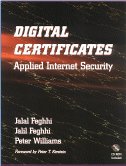 |
recommend book⇒Digital Certificates: Applied Internet Security | |||||||||||||||||||||||||||||||||||||||||||||||||||||||
| by | Jalal Feghhi, Jalil Feghhi, Peter Williams | 978-0-201-30980-5 | paperback | |||||||||||||||||||||||||||||||||||||||||||||||||||||
|---|---|---|---|---|---|---|---|---|---|---|---|---|---|---|---|---|---|---|---|---|---|---|---|---|---|---|---|---|---|---|---|---|---|---|---|---|---|---|---|---|---|---|---|---|---|---|---|---|---|---|---|---|---|---|---|---|
| publisher | Addison-Wesley | |||||||||||||||||||||||||||||||||||||||||||||||||||||||
| published | 1998-10-09 | |||||||||||||||||||||||||||||||||||||||||||||||||||||||
| The main thing wrong with this book is its age. It is a surprisingly easy to follow book. The JCE itself is daunting, but this book tames it with lots of code examples and an informal style. Consider this book an introduction to the JCE, not the final authority on high security. The end of the book degenerates into a bit of sales pitch for the author’s employer, Verisign, showing you the Verisign way of doing business. The book, is inconsistent in its intended audience. For example, the S/MIME section seems aimed at the JCE for dummies crowd. Yet near the end of the book, the authors throw an alphabet soup of undefined terminology at you as if you were a roomful of Verisign techies. | ||||||||||||||||||||||||||||||||||||||||||||||||||||||||
| ||||||||||||||||||||||||||||||||||||||||||||||||||||||||
| Greyed out stores probably do not have the item in stock. Try looking for it with a bookfinder. | ||||||||||||||||||||||||||||||||||||||||||||||||||||||||
 |
This page is posted |
http://mindprod.com/jgloss/certificate.html |
Optional Replicator mirror
|
J:\mindprod\jgloss\certificate.html | |
 |
Please read the feedback from other visitors,
or send your own feedback about the site. Contact Roedy. Please feel free to link to this page without explicit permission. | |
| Canadian
Mind
Products
IP:[65.110.21.43] Your face IP:[3.149.249.154] |
| |
| Feedback |
You are visitor number | |


