Serialization is a way of flattening, pickling, swizzling, serializing, or freeze-drying Objects so that they can be stored on disk and later read back and
reconstituted, with all the links between Objects intact. I picked the polar bear logo for serialization because
it suggests the freeze/thaw cycles of the polar bear’s habitat.
Overview
Java has no direct way of writing a complete binary
Object to a file, or of sending it over a communications
channel. It has to be taken apart with application code and sent as a series of
primitives, then reassembled at the other end. Serialized Objects contain the data but not the code for the class methods. It
gets most complicated when there are references to other Objects inside each Object. Starting
with Java version 1.1 there is a scheme called
that uses ObjectInputStream and ObjectOutputStream. Cynthia Jeness did an excellent presentation at
the Java Colorado Software Summit in Keystone on serialization. Unfortunately it is
no longer available online.
Pros
The advantages of serialization are:
- Duck simple to code. You can read or write most hideously complicated structure
of many Objects with a single line of code.
- Accurate. Since there is so little code to write, it always works first
time.
- There is no maintenance. The same code works no matter how much you change your
data structures.
- Compared with text files, XML (extensible Markup Language)
etc, serialized files are quite compact. They are binary format and it is
trivially easy to add a GZIP compressor to them which scrunches them very well.
- They can handle arbitrarily complicated datastructures without effort.
- They are portable between all Java implementations. You don’t have to
worry about endian issues.
- You don’t need to know the format of a stream to read it. You just read
an Object then use instanceof to figure out what you just read.
Cons
- Only works if your files are relatively small. The problem is you will run out
of heap space for large files because Java has to internally track everything
previously read or written because the stream can point back to previous Objects
anywhere in the stream.
- Effectively unreadable by languages other than Java.
- If your class structure changes, your existing files become obsolete. In
practice the only thing that can read them is the old program. They are not very
good for storing persistent data, since you may not have the old program that
created them or the old class file source. It is quite difficult to write code to
upgrade Objects to a new layout and to automatically
apply such programs as needed. Because of this problem, serialization is unpopular
for persistent data.
- Publicly exposes class implementation details which are usually private. It
makes your code easier to decompile and reveals quite bit about how your code works
internally.
- The serialized files are not human readable. If something goes wrong, you
can’t have a peek with your editor and manually fix the problem. The files
have a much more complex structure than most binary files.
- You need the original program, or at least its class file to read the data. It
becomes very important then to track exactly which version of the program was used
to create each file and to keep a copy of that program around forever to read any
old files in that format and export them in some form that can converted to the
new format, There is no easy generic way to extract data from serialized file whose
corresponding class file has been lost. In theory someone could write a utility to
reverse engineer a serialized file to create the class file source of at least the
data fields without the methods. I know of nobody who has done this yet. Another
approach would be to write something to either convert a serialized file to
XML or use
XML in
place of the usual serialization method so you can easily export a serialized
Object. My program JDisplay has this problem. Whenever I
make extensive changes to it all the *.ser files it uses
for rendering colourised program listings become obsolete. Instead of trying to
upgrade my old serialized file, I just delete them all and regenerate them. If you
to can do that, you will love serialized files. If you can’t think
twice.
- Your serialized files become unreadable if you rename a class or field, even if
the physical data structure is unchanged. This is because class names and field
names are embedded in the stream to label the fields.
- To upgrade files you need both the old and the new class files, but they
can’t have the same name. This means you must rename your class every time
you change the format.
Alternatives
When do you use serialization and when some
other solution?
When to use Serialization
| When to use Serialization Alternatives |
|---|
| Method |
When To Use |
|---|
| Serialization |
When you have tree structured data or constantly changing data formats. Not
suitable for long term storage. Only good for Java to Java. Easy to learn and
terse to code. |
| Roll Your Own Protocol |
When the data structure is simple or the volumes are high. You can use a
binary compressed stream of messages. Flexible. Allows integration with any
language. Lowest learning curve. Hardest to maintain if the message structure
is constantly changing. |
| XML/SOAP |
Handles nested data. Very fluffy. High parsing overhead. Works best for
small complicated data streams, especially where the sender and receiver may
not have identical versions of the software. XML
’s forté is ignoring that in the message stream it does not
expect. |
| SQL |
Let an SQL (Standard Query Language) database engine you talk with over
JDBC (Java Data Base Connectivity) deal with the
problem of persistence. |
| POD |
Use a POD (Persistent Object Database) to handle persistence. |
| CORBA |
Institutional heavy-duty solution. Steep learning curve. Works with various
languages. You maintain IDL (Interface Definition Language)
definitions of your messages and keep them in sync with the Java Object definitions. You must deal with integrating
CORBA (Common Object Request Broker Architecture) implementations from different vendors. |
| RMI |
Very flexible. Allows remote procedure calls in addition to passing
Objects back and forth. High overhead compared with
lower level methods. |
| RMI over IIOP |
RMI (Remote Method Invocation) using Corba IIOP (Invocation over Internet Inter-Orb Protocol)
marshalling protocol. |
| XML via JavaBeans |
java.beans.XMLEncoder.
similar to serialization, but uses a fluffy XML
format and the PersistenceDelegate class. I suspect
his is orphaned technology. |
| XML done manually |
conceptually simple |
| XML via JAXB |
Too stupid for words. |
| XML via Swing archiver |
suggested by Tom Anderson. I am not familiar with it. |
| JSON |
more compact than XML. Human readable, looks a bit like JavaScript
source code. lightweight. No validation via schemas. |
| ASN.1 |
very compact, flexible binary format. ASN.1 (Abstract Syntax Notation 1)
has been around since 1984. Solid, well-tested
design. Requires writing the equivalent of a DTD (Document Type Definition). |
| Fast Object
Serialization |
aka uka.transport, developed for the kaRMI project of the University if
Karlsruhe in Germany. Claimed to be 10 times faster
that Sun Java serialization. uka.transport is 100%
compatible with the regular Java serialization mechanism. It is sligthtly more
complicated to use than regular serialization. |
Bulk
Serialised Objects are very large.
They contain the UTF-8-encoded classnames (usually 16-bit length + 8 bits for common chars and 16 bits or more for rarer chars), each
field name, each field type. There is also a 64-bit class
serial number. For example, a String type is encoded
rather verbosely as java.lang.String. Data are in binary,
not Unicode or ASCII (American Standard Code for Information Interchange). There is some cleverness. If a string is referenced
several times by an Object or by Objects it points to, the UTF (Unicode Transformation unit)
string literal value appears only once.
Similarly the description of the structure of an Object
appears only once in the ObjectOutputStream, not once per
writeObject call.
Serialization works by depth first recursion. This manages to avoid any forward
references in the Object stream. Referenced Objects are embedded in the middle of the referencing Object. There are also backward references encoded as 00 78
xx xx, where xx xx is the relative Object number.
While the lack of forward references simplifies decoding, the problem with this
scheme is, you can overflow the stack if, for example, you serialized the head of a
linked list with 1000 elements. Recursion requires about 50
times as much RAM (Random Access Memory) stack space as the Objects
you are serialising. Another problem is there are no markers in the stream to warn of
user-defined Object formats. This means you can’t
use general purpose tools to examine streams. Tools would have to know the private
formats, even to read the standard parts.
If your Object A references C and B also references C,
and you write out both A and B, there will be only one copy of C in the Object stream, even if C changed between the writeObject calls to write out A and B. You have to use the
sledgehammer ObjectOutputStream.reset() which discards
all knowledge of the previous stream output (including Class descriptions) to ensure
a second copy of C. Alternatively you can kludge with ObjectOutputStream. writeUnshared and
ObjectInputStream readUnshared.
Happily, serialization of ArrayLists is clever. They
take only a few bytes more than the equivalent array. It does not bother to serialise
the empty slots at the end.
Engaging Serialization
To
implements java.io.Serializable
Note the American spelling of Serialisable substituting a
z for the s!
You don’t need to write any methods to implement Serializable. Serializable is just
a dummy marker interface that turns on serializability. It is just a way of marking a
class as I intend this class to be serializable. If I
don’t mark it that way, Java run time, please stop me if I try to serialize it
by mistake. The Serializable interface does not
do anything other than mark classes.
You don’t have to write a readObject or
writeObject method, but if you do, you still need the
implements java.io.Serializable.
The catch is not only must your class be Serializable, so must every Object it
references and every Object in turn those Objects reference and so on. If there is a reference to a
non-Serializable class anywhere in the tree, the write will fail with a NotSerializableException exception.
The superclasses of your serialized classes need
not be Serializable. However, those
superclass fields won’t be saved/restored. The fields will be restored to
whatever you would get running the non-arg constructor.
The Tar Baby Problem
When you write a serialized
Object, everything it points to gets serialized and
written out too. Further, every Object those Objects point go gets serialized as well, ad almost infinitum. It is
ok to have cycles, (circular references). Only one copy of each Object gets serialized, no matter how many times it is referenced. The
usual problem is the tree of Objects written is much
bigger than you imagined. You end up dragging along a huge retinue of Objects you did not intend.
Symptoms you have created an exponential tarball of sticking Objects are:
- The ObjectOutputStream is much larger than the
binary size of the expected payload.
- If you look at the output with a hex editor, you see the names of classes you
did not intend to include.
- You get NotSerializableException exceptions on
classes you did not intend to include.
Ways to fix the problem include:
- Make fields transient so they won’t be
serialized. It is then your problem to write code to reconstitute them on read. See
transient
below for how.
- Nullify fields just before writing. Again, then it is then your problem to
write code to reconstitute whatever these fields pointed to on read. See
transient
below for how.
- Decouple your Objects so that they don’t point
to each other directly. Instead use auxiliary Objects
such as HashMaps and ArrayLists (replacing pointers with int
indexes) to create the links.
- Create stripped down versions of your Objects for
serialization without the troublesome fields. You can see this technique used in
the Replicator where
the MaxiFD. strip method
shrinks a MaxiFD Object to a
MiniFD Object using a copy
constructor in MiniFD.
The Deep Freeze Problem
Serialising an
Object effectively freezes its value, making the
Object pseudo-immutable. What do I mean by that?
ObjectOutputStream.writeObject
puts out at most one copy of each Object per stream, not
one per writeObject call. This means if you change an
Object in RAM
after it has been written, when you read it back those changes will be lost. You get
the value it had when it was written to the stream.
You can use ObjectOutputStream.reset
() to make serialization forget what it has written and start over serialising
Objects from scratch. However, that has untoward
consequences that I describe in the Under The
Hood section below.
Just be aware of this and avoid making changes to Objects while you are serialising. You won’t get any error
messages if you do change Objects recently serialized.
Fine Tuning
You can roll your own serialization by writing
readObject and writeObject to
format the raw data contents, or by writing readExternal
and writeExternal, that take over the versioning and
labeling functions as well. You can see an example of readObject and writeObject in the
BigDate class. There is
nothing special you need do other than implement Serializable to register the fact your class is serializable and
compose the writeObject and readObject methods. defaultWriteObject
has at its disposal a native introspection tool that lets it see even private methods and reflect to pick out the fields and references.
JavaSoft has written a spec on serialization that you should probably read if you
want to do anything fancier than invoke the default writeObject method.
Don’t confuse the custom readObject method of a
your class with the ObjectInputputStream. readObject method you use to read a whole tree of Objects.
You might wonder how serialization manages to get at the non-transient
private members via reflection. It uses AccessController. doPrivileged() to
override the general security privileges.
The Asymmetry of Read and Write
An Object can pickle itself, but it can’t reconstitute itself. The
problem is an asymmetry in readObject and writeObject. writeObject is quite happy
to work with this whereas readObject insists on creating a new Object. What do you do? Bill
Wilkinson, the serialization guru, suggested two tactics:
- Your load code can open the ObjectStream and reconstitute a new Object, then copy the fields over to this.
- Your save code can save the fields of this individually, then your load code can reconstitute them
individually.
serialVersionUID
It is probably best to assign your own
serialVersionUID for each class:
/**
 * Defining a layout version for a class.
 * Watch the spelling and keywords!
 */
public static final long serialVersionUID = 3L;
This must change if any relevant characteristics of the pickled Object change. If you don’t handle it manually, Java will assign
one based on hashing the code in the class. It will thus change every time you make a
very minor code change that may not actually affect the pickled Objects. This will make it more difficult to restore old Object streams.
You must spell it exactly, case-sensitive, as serialVersionUID. If you fail to, you won’t get an error
message, just a randomly chosen value. Similarly, you
must have public static final long though the
public is optional.
Note it is spelled serialVersionUID not SERIALVERSIONUID as is traditional for static
final constants.
You sometimes see bizarre, what appear to be random, numbers chosen for the
serialVersionUID. This is just a programmer freezing an
automatically generated serialVersionUID because he
forgot to assign a sensible version 1 number to get
started.
Not only should the base serialisable class get a serialVersionUID, but also could each subclass get its own. That
way you can individually track which Objects are no longer
consistent with the class definition. The serialVersionUID does not have to be globally unique. Think of it
as a version number for tracking changes to the code in a particular class
independently of changes in its base class.
I just increment the serialVersionUID by one each
time I modify a class in a way that would change its serialization characteristics
e.g.
- Add a field.
- Rename an enum constant.
- Rename a field.
- Change the type of a field.
- Change the name of the package or class.
- Delete a field
Don’t try to get too clever deciding what constitutes a change that requires
a new serialVersionUID. If you have the slightest
doubt, increment.
When I make a minor compatible change, I don’t
increment the serialVersionUID such as when I:
- Change the scope of a field the private, protected,
public modifier.
- reorder the fields.
- add a method.
- change the signature of a method.
- rename a method.
- Change or add a static field.
It is not necessary to increment the serialVersionUID of every subclass when a field in a class changes.
The UIDs of all the superclasses are checked too on read.
You can think of serialVersionUID as a primitive
mechanism to record which version of a class was used to create any particular
historical serialized file. Unfortunately, there is no tool to summarise a mysterious
serial file, telling you which classes it uses and which versions of them. Hint,
hint… If you try to read the file and you guess incorrectly, it just blows up.
You can put some Longs and Strings at the head of every one of your serial files in as standard
format to make it easy to identify what sort of file they are and which version. The
version numbers of these classes will not change, so you will always be able to read
the first few fields.
To partly get around this problem, at the head of the serialized file, as a
separate Long, I write out the serialVersionUID of the key class of the file. There, it is easily
accessible as an identifier to how old the serialized file is. It is automatically up
to date. You can also write a similar file type identifier Long as the very first field. You can always read it, no matter how
out of date your class files. It lets you create a meaningful error message with an
indication of just how out of date your class/serial files are. By using the
serialVersionUID of the key class, it automatically
increments when the key class changes, so I am less likely to forget to bump it
up.
Example of Use
The File I/O Amanuensis will generate you sample code with
thousands of variations. Just tell it your data format is Serialized
Objects. By playing with the controls you can get it to generate sample code for
almost any circumstance.
Versioning Gotcha
Here is a common problem:
- You have serialized Objects written on filesystem or
in database.
- You modify the class that is serialized.
- You want to copy the needed data from old class to the new one.
If the Objects have gone through a major reorg, use two
different classLoaders, copy fields and do whatever else is necessary to upgrade your
Objects.
If the Objects are actually identical, e.g. it is just
you added another method to the class, you can manually give both classes a version
id. of the form:
/**
 * Defining a layout version for a class.
 * Watch the spelling and keywords!
 */
public static final long serialVersionUID = 3L;
If you don’t provide such an ID, one is automatically generated for you by
hashing together bits of the class source code. Then you are hosed because the
tiniest change of any kind will trigger a mismatch.
If the Objects are just a little bit different, e.g. a
new field. You can use the manual version number method. I don’t recall the
precise details, but under some circumstances, the serial loader won’t mind
minor differences. It just zeros out new fields and drops unused ones. Keep in mind
the serial loader does not use your constructor! You can’t count on it to do
any initialisation of transient fields,
especially the new ones.
If you so much as sneeze, the default automatically generated serialVersionUID will change, so make sure you specify your own
more stable serialVersionUID.
Lots of thing will invalidate the serialized stream you might not immediately
think of:
- moving one of the serialized classes to a new package. The package names of all
Objects are recorded in the stream.
- renaming the class of any Object in the stream even
if the structure remains identical.
- renaming a field in an Object. The links between
stream and reconstituted Object are by field name, not
logical position or size.
- Your class contains a reference to a class that has been upgraded.
- Changing the type of any variable, especially a reference.
- Inner or static class code that is unchanged is still considered a different
class. Don’t forget Comparators you may have
unwittingly serialized.
- Changing scope may invalidate. I have not tested that.
- Adding an implemented interface. I have not tested that.
I believe the following are safe so long as you don’t change the
serialVersionUID.
- add a method.
- rename a method.
- remove a method.
- reorder the fields.
- add, remove or modify any of the static fields.
- add a transient field. This is a useful loophole
to temporarily hide a new field when reading old records.
It is unbelievably difficult to upgrade a your code to handle serialized files
and to the upgrade the files themselves. The basic steps are these:
- Save a copy of your old code away safely. You must not touch a thing or you
won’t be able to read your old files.
- Rename the classes that will change. Make sure you don’t rename your
backup copy of the old files. Add the new fields, methods etc. Use Eclipse, or
similar IDE (Integrated Development Environment), to do the global renaming. It is almost impossible
to do all the renaming manually. If you slip and fail to rename, the compiler
won’t complain. Both the old and new class names are legit, at least in the
conversion program.
- Any classes that reference those new classes will have to get new names as
well. This, of course, triggers a gut-wrenching chain reaction of other classes that
must also be renamed.
- Once you get your new code to compile and run with new data files, you can
think about how you are going to rescue your old datafiles. In most cases you will
just give up and regenerate them from scratch. Serialised
files are not good for permanent storage. yet another reason serialized
files are not good for permanent storage is they are a Java-only format. You
can’t do thing with them in other languages. Consider ASN.1 binary formats or CSV text formats for interchange, import/export. Even simple
DataOutputStreams are much more portable.
- One approach is to use your old class files and write a program to read the
serialized files in and write them out as flat files, e.g. CSV format. Then you write a new program to read them back
into your new classes, filling in the missing fields. With a modification of this
approach, you don’t rename any class files. You use totally separate import
and export programs, using the same names for the classes, but one with the old
classes and one with the new. Just make sure you keep track of old and new, very
carefully, so you don’t muddle them. The main difficulty with is approach
is you must find some way of flattening all your references and reconstituting
them exactly as they were, not to some similar Object.
- Another approach is to use the old class files to read a tree of Objects into RAM.
Then you build a new tree of Objects similar, plucking
fields from the old one Objects and poking them into the
new ones. Since few fields are likely public, you may find you cannot get at some
data in the old classes and/or there is no way to baldly insert it in the new ones.
You must adjust both old and new class files to give you needed access, taking
extreme care not to do anything that would make your old class files stop working
to read the serialized data.
- You might think you would just read in a tree of old Objects, chase the tree replacing each Object in place with a new one, patching references both to and from
the Object. Unless the replacing Object is a subclass of the old Object,
Java’s strict typing system won’t let you do that. It would if you had
the foresight to have both old and new Objects implement
a common interface and if your links were all of that type, but that would impair
your ability to use the features of the new Objects.
- After you run your conversion program, scan the new serialized files with a hex
editor for any signs of the names of the old classes. If they are in there, you
have screwed up. The compiler will give you precious little help tracking down
errors.
- Consider putting your old classes and conversion software in its own package so
you can easily detect improper use of any old classes or the conversion methods.
The catch is you may run into scope problems since your old classes can no longer
see default scope methods and field in fellow classes. If you use GenJar to prune unnecessary classes, when you are done,
use jarlook to make sure
none of the old classnames are in your jars.
- Recall that reconstitution of serialized files uses Class. forName to instantiate all the
classes buried in the files. Genjar or
equivalent does not know to include these classes in your jar. It is up to you to
include all the classes you need manually. You will keep getting the dreaded
NoClassDefFoundError until you have nailed them all.
- Invest some time in adding a dump method to each
serialisable class. It should produce a human-readable String summarising the
contents of all the fields in the Object. You have to get clever in ways to meaningfully represent
references. Be careful you don’t endlessly recurse. These methods will be
invaluable in tracking down problems. You can use if ( DEBUGGING ) to
effectively delete the dump code bodies from your
production jars if you are not debugging.
- If things don’t work, consider when you copy over an Object from old to new, you drag with it, all it points to, or
points to indirectly. Those Objects all must be
converted as well.
- If things don’t work, consider that constructors don’t get run on
reconstitution. It is up to you to patch up the missing uninitialised fields.
- If things don’t work, consider that if you fail to copy a field, the
compiler will not warn you. This is tedious business. You must meticulously check
and recheck that every field and reference in every class and all the Objects referenced directly or indirectly are all handled.
- If things don’t work, consider that it is not just enough to convert
Objects, you must make sure references point to the
exact corresponding Object, not a duplicate. Similarly
you don’t want to unintentionally collapse references to duplicate
Objects to a common one. Think ahead. You will want
equals and hashCode
implementations on all your serialized Objects for
deduping.
There is an other quite different approach to solving the versioning problem by
adding readObject methods to deal with handling the
differences. Sun talks about it in their versioning guide.
Transient
You can reduce the size of your serialized
Object by marking some fields transient. The values of these fields won’t be written. When
the Object is read back, it is up to you to reconstitute
the fields. You can put your reconstituting code in a custom validateObject or in a custom readObject
after a in.defaultReadObject() call. Note that you must
manually reconstitute all the transient fields. None of
the initialisation or constructor code will be run for you. Unless you specify implements ObjectInputValidation, your validateObject method will be ignored.
If you have a reference to a non-Serializable Object,
you have no choice but to make it transient. You will
have to figure out some way to reconstitute the reference in a custom readObject method.
Interning
Interned Strings
reconstitute as ordinary Strings. It is up to you to write
a custom readObject method to reintern them.
NotSerializableException
IF you get a
NotSerializableException, you forgot to put
implements java.io.Serializable
on the class you are doing a writeObject on. Since
writeObject also writes out all the Objects pointed to by that Object, by the
Objects those Objects point to,
ad infintum, all those classes too must be marked implements Serializable. Any references
to non-Serializable classes must be marked transient.
While you are at it, give each of those classes an explicit version number.
String Size Limit Gotcha
When Java serialises
a String, it outputs it using DataOutputStream. writeUTF. It puts a
big-endian, 16-bit, signed short, length count on the
front of the UTF-8-encoded String that gives the count of
encoded bytes (not the count of original characters). Since chars are encoded in UTF-8 with 1 to 3
characters, the limit on how long a String can be is as
low as 10,922, a limit you could easily bang into. For
details see UTF.
Serialization Lore
The now defunct Lotus
Ensuite made great use of serialization. They would freeze dry the entire
running state of an application, run another app, then reconstitute the previous one,
bringing it back exactly where you left off.
You can’t serialise Images and send them via
RMI to another
platform because Images are platform specific. You need
to convert your Image to a platform independent format.
You can use the JAI (Java Advanced Imaging) API (Application Programming Interface) or you can write a class
with ints only and use a PixelGrabber to create an
int array representation of that Image (you also need the height and width). Then you can send the
int[] representation of the class over the ObjectStream and cast it back at the destination. Then use
createImage from the java.awt.Toolkit on a MemoryImageSource to
recreate the Image data type.
Bill Wilkinson’s Take
Bill Wilkinson has been writing in the newsgroups for
years explaining the pitfalls of Java serialization. I have been bugging him to
collect these posts into a coherent essay. He said, perhaps for Groundhog day
2000. I am going to make a first cut at that essay for him,
hoping it will prod him to finish it properly. This first cut is taken from one of
his posts.
Serialization, or serialization in American, is Java’s way of providing
persistent Objects, or transmitting Objects over a wire (in conjunction with RMI
). People like to concoct flavourful terminology to describe the saving (pickling, free drying, swizzling) and restoring (depickling,
deswizzling, reconstituting)
processes.
In theory all you have to do is save an Object and all
its dependent Objects will automatically go with it.
However, there are many pitfalls. The Java Gotchas.
Under the Hood
The rules of
Object streams say that the first time a given
Object is encountered, its actual contents are written
out. All subsequent references to that same Object cause
only a handle (actually, simply a
monotonically increasing counter) to be written out. [This is the source of the
frequent complaint that modifying an Object and then
rewriting it doesn’t cause a change in the Object on
the other end of the stream.]
When you read in a stream, then, serialization has to keep a map
of all read-in Objects, relating them to the handle numbers, so that when a given handle number is later
encountered a reference to the proper Object can be
substituted, thus creating a valid newly reconstituted Object.
Serialization has no way of knowing that Object number
13 in your stream is never referenced again anyplace in the stream, so, of course, it
has to keep everything in that map (which is ever-increasing in
size!) forever!
Unless…
Unless you call the reset method on the stream. In
which case everything starts all over again. (Object
numbers restart from zero, etc., etc.)
Wow! you say, what a simple
solution. Yes, but…
Once you do a reset, none of
the Objects previously written will be known to the stream, so once again the first reference to a given
Object will cause its data to be written to the stream.
"Well, what’s wrong with that?"
Answer: When you then read that stream and the reset;
is seen (a special code in the stream), then all knowledge of already-read
Objects is lost and… yep, you guessed it:
You’ll read the same Object again!!! If you
aren’t prepared for this and you don’t program accordingly, the results
can be disastrous.
There is another negative consequence of doing reset.
The first time any class is written (or the first time after a reset), an incredible amount of junk that describes that class is
written to the stream. If you use reset too often, you
will bulk up the stream with class descriptors, duplicate Strings and Objects you have already
transmitted.
On the other paw, if you don’t use reset from time to time, the receiver will have to maintain an
ever-growing catalog of all the Objects
it has received, just in case you send an Object
containing a reference to one of them. You can run out of RAM
in either the sender or receiver in a pathological case if you never
use reset.
If you will only be serializing a handful of classes and if you only need to do a
reset every few hundred kilobytes, then this overhead
isn’t too onerous. But if you need to do a reset
after every small group of Objects and if nearly every
Object in the group is a different type, then this
overhead will bite you. (Note that even predefined system types,
such as java.lang. Integer,
must be fully described in the stream.)
So what’s the solution, if reset isn’t
appropriate to your needs? Dump Serialization. It’s slow and clumsy and has a
lot of overhead. But that may not be viable if you really do depend
on its ability to maintain Object references in large
networks of Objects. On the other hand, if you are simply
sending pure numeric and textual data back and forth--if connections between
Objects are uninteresting to you--then do
consider rolling your own DataOutputStream format instead of using serialization.
readObject
At first glance, readObject seems to have magical properties of being able to create
and initialise arbitrary Objects. java.util. ObjectInputStream.
readObject uses ObjectStreamClass. newInstance() to create
an empty shell of an Object later filled in with the read.
ObjectStreamClass. newInstance
creates a new instance of the represented class. If the class is Externalizable, it invokes its public no-arg constructor;
otherwise, if the class is Serializable, it invokes
the no-arg constructor of the first non-Serializable superclass. So, those superclass
fields won’t be saved/restored. The superclas fields will be restored to
whatever you would get running the non-arg constructor.
This means the code in the outer layers of constructor of a Serializable Object will not be
invoked, but the inner core, e.g. the Object root
constructor code will be. In effect, the constructor is not called. It also means
Serializable Objects don’t
need a no-arg constructor. This short-circuited constructor call is why you must
manually initialise reconstituted transient fields that
would normally be handled by the constructor. The advantage of not calling the
constructor is efficiency. Most of its work will be soon overridden by data from the
stream.
Externalizable Objects on the
other hand must have a no-arg constructor and it will be called when that
Object is reconstituted, before any of the stream data is
read.
Then how does readObject take the stream of bytes from
the stream and put them in the proper spots in the Object?
It does not just do a byte block move. The first time a class is encountered in the
Object stream, serialization uses reflection to build a
table for that class of all its fields, types and their JVM (Java Virtual Machine)
virtual machine offsets. readObject uses ObjectStreamClass. setPrimFieldValues that
uses the table to field by field copy the bytes into the proper slots in the newly
created Object. This is clearly a much more
CPU (Central Processing Unit) intensive operation that reading a C++ struct or a nio buffer read.
You might think most of this code would have to be native, but it is not. The only
code that has to be native in the code that converts JVM
offsets into internal byte offsets for the store. The rest is all platform
independent.
This changes between Java
versions, constantly improving.
The Recursion Gotcha
Very briefly, the serial
writer uses recursion in early versions of Java and hence can easily overflow the
stack, when for example serialising a LinkedList.
The Symmetry Gotcha
There is a fundamental
asymmetry in the way you read and write Objects:
You can write out the current Object, but you can’t
read it back. All you can do is read back creating some other Object, then copy the fields into this Object.
The Uninitialised Transient Fields
Gotcha
Transient fields are ones the serial writer does
not bother to save. It saves disk space to reconstruct them later when the
Objects are reconstituted. Since the serial loader does
not invoke your constructor, transient fields will not be initialised. They will be
merely zeroed.
Generics Serialization Gotcha
Code like this will cause problems:
ArrayList<Thing> things = ois.readObject();
You can try to fix it with a cast like this:
ArrayList<Thing>things = (ArrayList<Thing>)ois.readObject();
but that generates a warning message. The problem is type erasure. The generic type is not stored with the serialized object. Java could check that the Object read
back was an ArrayList, but not that it was an ArrayList< Thing>. Since it can’t guarantee, it gives the
warning. The problem is the lame type erasure way generics were implemented. Had the type information been included, Java could check and the cast would be valid. So what do you do? You can just
live with the warning, suppress it with an annotation like this:
@SuppressWarnings( "unchecked" )
void restore()
{
ArrayList<Thing> things = (ArrayList<Thing>) ois.readObject();
...
}
or you can copy the fields one by one like this:
If your ArrayList is already allocated and final, you can do it this way:
final ArrayList<Thing> things = new ArrayList<Thing>( INITIAL_SIZE );
...
final ArrayList<Object> temp = (ArrayList<Object>)ois.readObject();
things.clear();
for ( Object item : temp )
{
things.add( (Thing)item );
}
It is much simpler to read and write serialized arrays than ArrayLists. They don’t have this problem since you are not relying on generics for your type
information. For arrays, the Java type system embeds the actual type in the ObjectStream. The problem is you may not be able to switch your ObjectStream ArrayLists to simple arrays when your clients have many files in the old serialized ArrayList format. Arrays are
also slightly more compact.
Serializable vs Exteralizable
Overriding readObject
Overriding readExternal
Unserializable Objects
The literal reason a Object can’t be serialized is because it class does not have
implements java.io. Serializable on the class declaration. Why
would an author make his class unSerializable?
- He did not need it, so it just never occurred to him.
- Laziness. He did not want to deal with transient fields and writing code to
deal with reconstituting them.
- The class changes so frequently you would never be able to read the old
files.
Reconstitution Magic
The process of serialization does what appear
to be magic things:
- It manages to fetch values in private fields in any class on write and store
values into private fields of any class on read. It uses a trick called
AccessibleObject.setAccessible( boolean accessible ) to
sneak around the usual restriction. It might also use AccessController. doPrivileged.
- Serialization also manages to reconstitute objects that don’t have
default constructors. Even when there is a default no-arg constructor, it is not
called as part of reconstitition. How is that possible? It could use the
JNI (Java Native Interface) function AllocObject:
that allocates a new Java object without invoking any of the constructors.All
fields must be either restored from the stream or restored programmatically in
readObject. It might also use a method buried somewhere
in reflection to allocate an object without invoking a constructor. But it has a
method java.io. ObjectStreamClass. newInstance() to do
the job. It creates a new instance of the represented class. If the class is
Externalizable, it invokes its public no-arg
constructor; otherwise, if the class is Serializable,
invokes the no-arg constructor of the first non-serializable superclass. It throws
UnsupportedOperationException if this class descriptor
is not associated with a class, if the associated class is non-serializable or if
the appropriate no-arg constructor is inaccessible/unavailable. The key is a class
has to be marked Serializable, but its not
necessarily all its superclasses. Those superclass fields won’t be
saved/restored. The superclas fields will be restored to whatever you would get
running the non-arg constructor.
- You might wonder how the static fields in a
reconstituted class get initialised if no constructor is ever called. Serialization
probably calls the <clinit> method directly.
<clinit> is an illegal method name in
Java, but not in byte code.
- Serialization could in theory reconstitute non-serialisable classes, but only
if there were a default no-arg constructor and one that was in accessible
scope.
You don’t have to know anything about the format of
the stream to use serialization, but if you are curious
It has about 7 bytes of overhead per Object for an
Object with a single String
reference in it. You can look at the stream with a binary editor. you will notice a
lot of hex 73s, ’s', which are the code for an
Object and 71s, 'q',
the code for a reference to something.
How God Would Have Implemented Pickling
To come some day.
Speed
Here are things to experiment with to speed up your
serialized I/O, particularly on sockets.
Have you buffered the stream? See the File I/O Amanuensis for how.
Have you compressed the stream? See the File I/O Amanuensis for how. Try it both ways.
You may be sending along all kinds of parasite Objects
that are referred indirectly by your base Object. Get in
there and be ruthless with transient. Anything you can
reconstruct on the other end need not go over the wire. Make sure your Object references nothing you don’t intend to ship and the
things it references also reference nothing you don’t intend to ship.
Try dumping your Object to a file instead of a socket
and have a look at it with a hex viewer to see
if there is junk it there you don’t need.
Think carefully about calling reset. If forces every
Object already sent to be resent if it is referenced. On
the other hand, changed Objects won’t be resent
until you call reset.
Books
Book referral for Effective Java: second edition
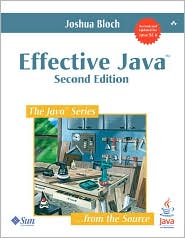 |
recommend book⇒Effective Java: second edition |
| by |
Joshua J. Bloch |
978-0-321-35668-0 |
paperback |
|---|
| birth |
1961-08-28 age:56 |
978-0-13-715002-1 |
WebBook |
|---|
| publisher |
Prentice Hall |
B000WJOUPA |
kindle |
|---|
| published |
2008-05-28 |
|---|
| No design patterns, just generic advice on good Java programming style. This is considered the best explanation of generics, even though it has just one chapter on generics. People claim it all came clear after reading his explanation. It is also consider the best explanation of serialization. Not to be confused with his earlier Effective Java Programming Language Guide. book website |
|
| Greyed out stores probably do not have the item in stock. Try looking for it with a bookfinder. |
Learning More
Oracle’s Javadoc on
Serializable Interface : available:
Oracle’s Javadoc on
XMLEncoder class : available:
Oracle’s Javadoc on
Serializable class : available:


 serialization




